
Gianfranco Bianchi · Creative Director Personal project · October 2026 · 11 days
Design direction, interaction design, art direction, product decisions. Built with Claude Code as my engineering partner.
In one line
I took a phone the industry had given up on, a Nothing Phone (1) running mainline Linux, where calls, camera, speaker and battery life didn’t work, and in eleven days turned it into my daily phone, with 14 apps, its own home screen and six visual themes designed from scratch.
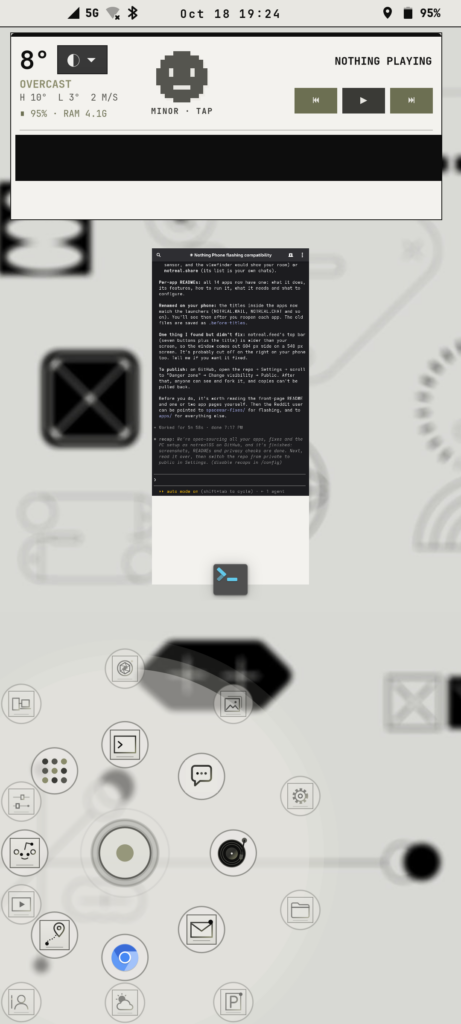
The home screen: a weather and phone health widget, open apps, and the joystick launcher fanned out under my thumb.
The brief I gave myself
Could a designer who doesn’t write code direct an AI the way I direct a team, and ship something real? Not a mockup or a prototype that falls over in a demo. A phone I carry every day, that has to make calls, take photos and last the day.
How I worked
I treated the AI like a senior developer joining my studio. I set the direction and the taste, and I judged the results. It did the reading, the coding and the testing.
- I described what I wanted the way I’d brief a designer: how it should feel, who it’s for, what’s wrong with it. “The speaker sounds robotic.” “The camera washes out the sky.” “I want the app grid gone and my apps under my thumb.”
- It investigated and built, reading system logs, writing code and patches, and testing on the phone itself.
- I did the hands-on parts: listening, holding the phone to my ear on calls, judging photos, approving anything risky before it touched the phone.
- I said no a lot. “Too cartoony.” “Smoother whites, one orange, no outlines.” That feedback loop is the same one I run with my teams.
Design decisions
Built for my left hand. Every control lives on the left: the camera shutter, the send buttons, the delete buttons, the keyboard’s tools. Phones assume you’re right-handed. Mine doesn’t.
A launcher you hold, not a grid you scan. I replaced the grid of app icons with one pulsing circle. Hold it, and your seven most-used apps fan out around your thumb with the next ten in a fainter outer ring. Slide and let go to open. It learns what you use.
One switch restyles everything. Six themes, each carried through every app, the wallpaper, the keyboard, the lock screen and the icons:
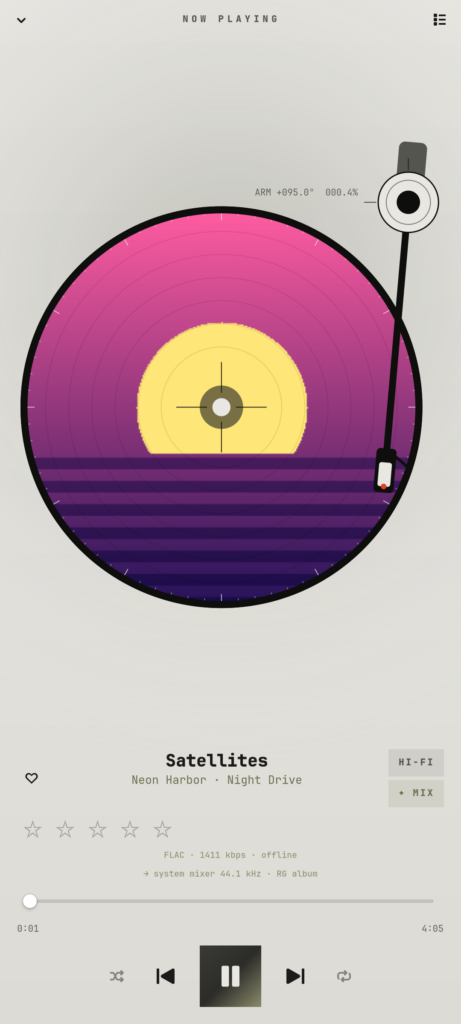
- vapor: neon vaporwave
- vaporlight: the same, in pastels
- micro: paper and ink, like a technical drawing
- microdark: micro after dark
- alien: a green CRT terminal
- nasa: cassette futurism, with warm putty whites, one orange and Michroma type
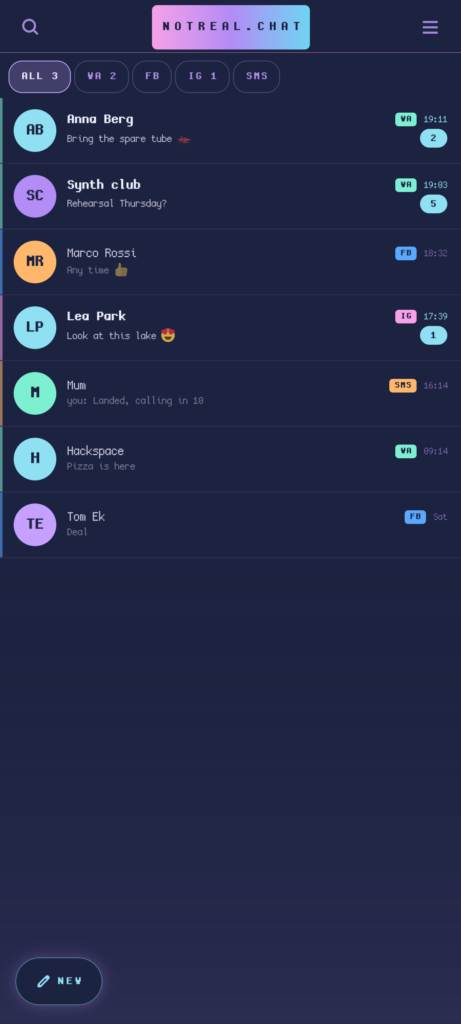
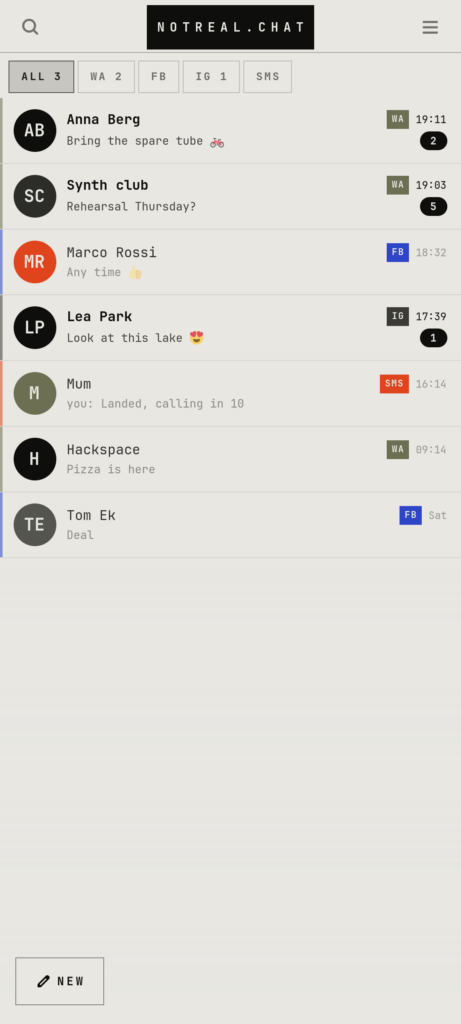
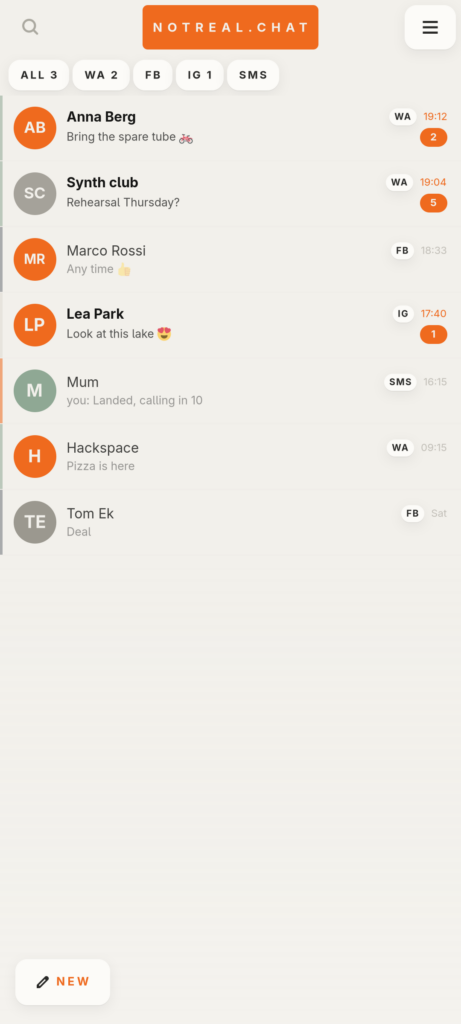
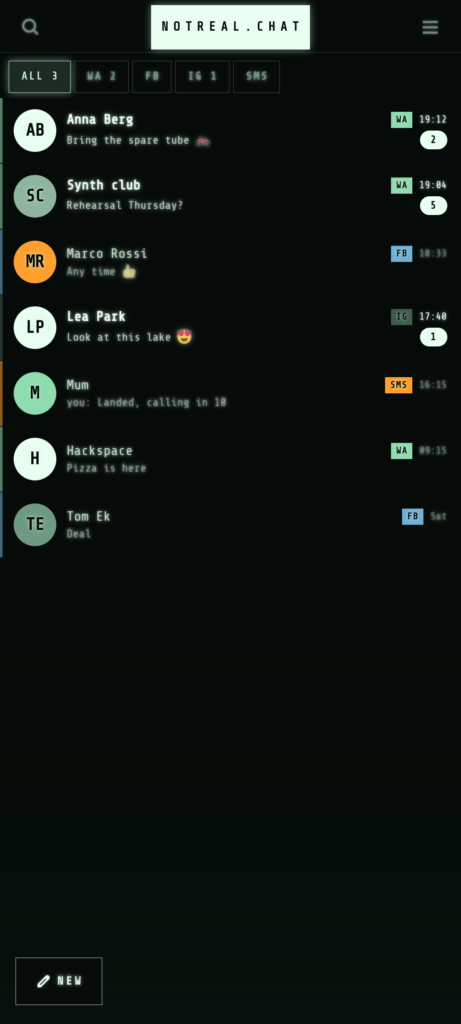
Details that make it feel crafted:
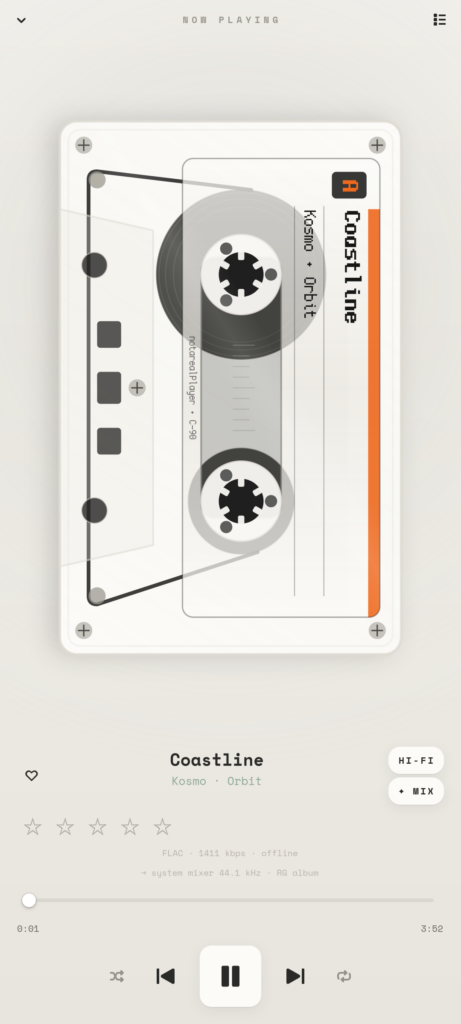
- the music player spins a real vinyl with a tonearm, or flips to a cassette with turning reels
- the screen switches off with an old-TV CRT collapse
- a double-press of the power button opens the camera
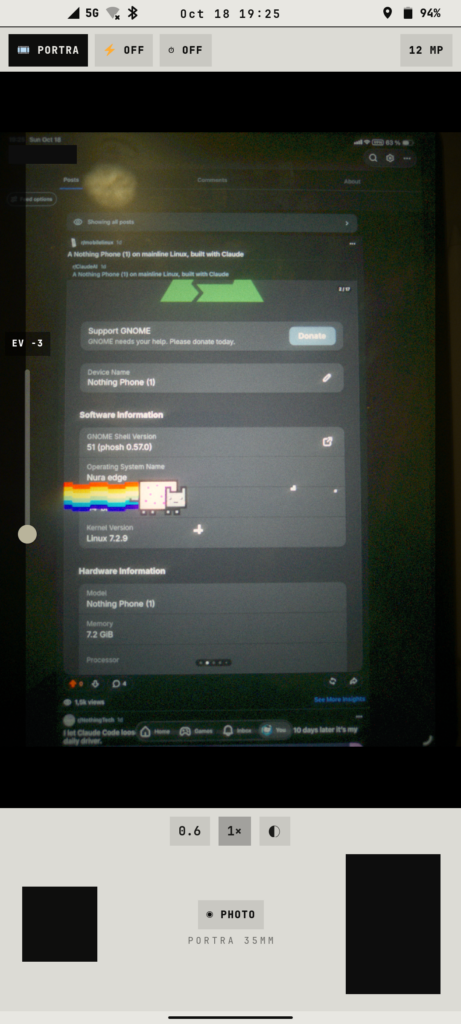
- the camera has film looks (Portra, C200) with a date stamp
What got built
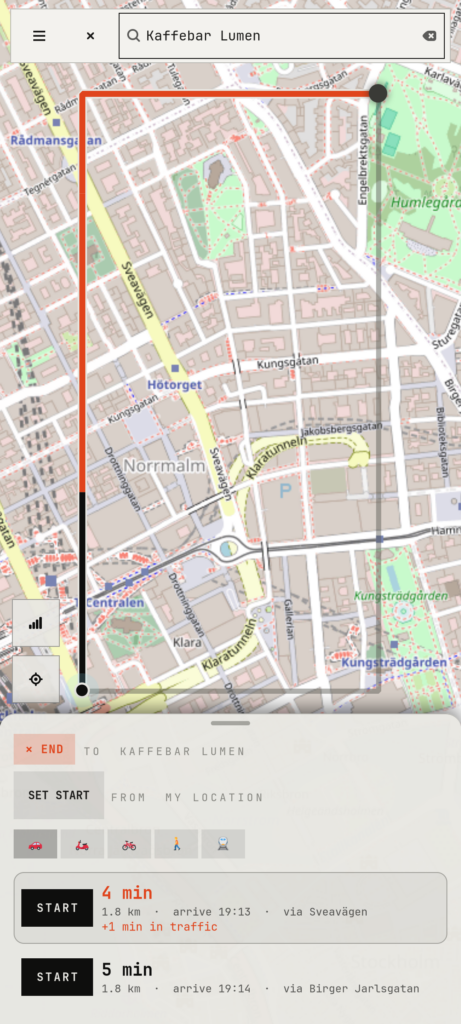
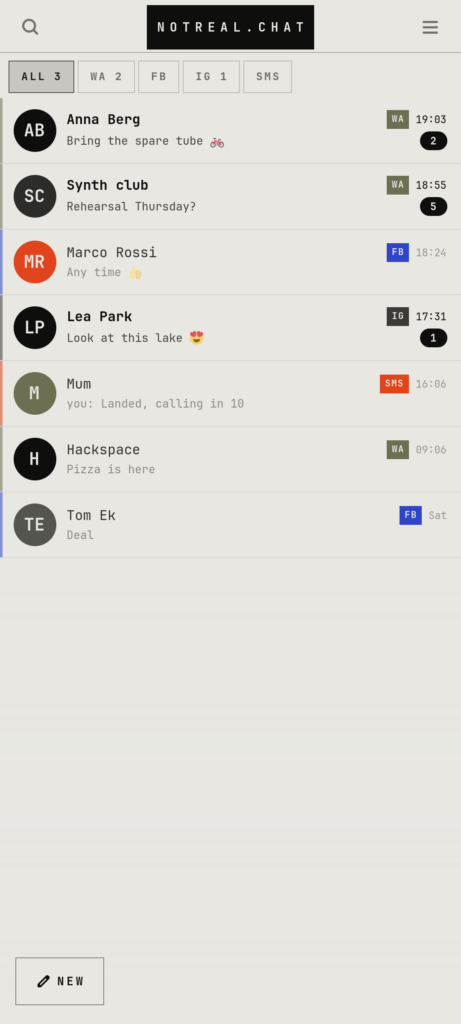
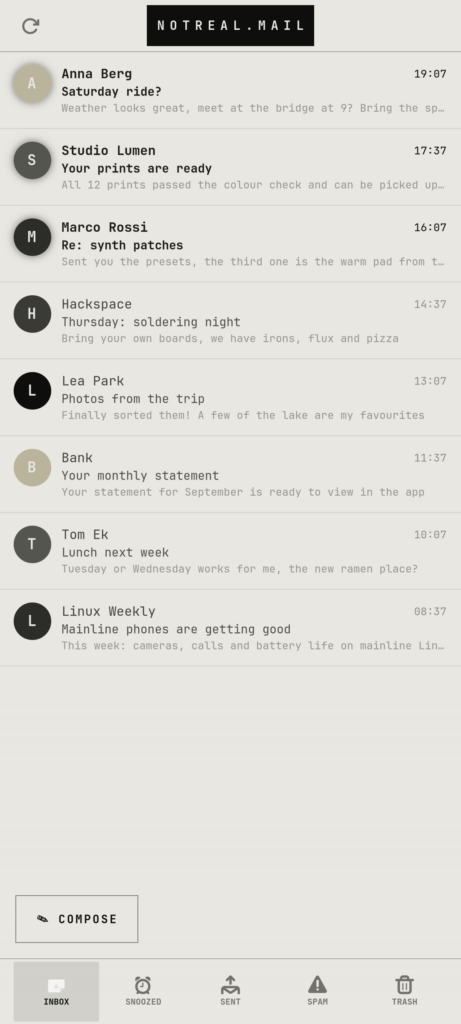
- 14 apps, all designed and built for this phone: camera, mail, chat (WhatsApp, Messenger, Instagram and SMS in one inbox), phone, calendar, contacts, gallery, photo editor, maps with voice navigation, music, a news feed and more
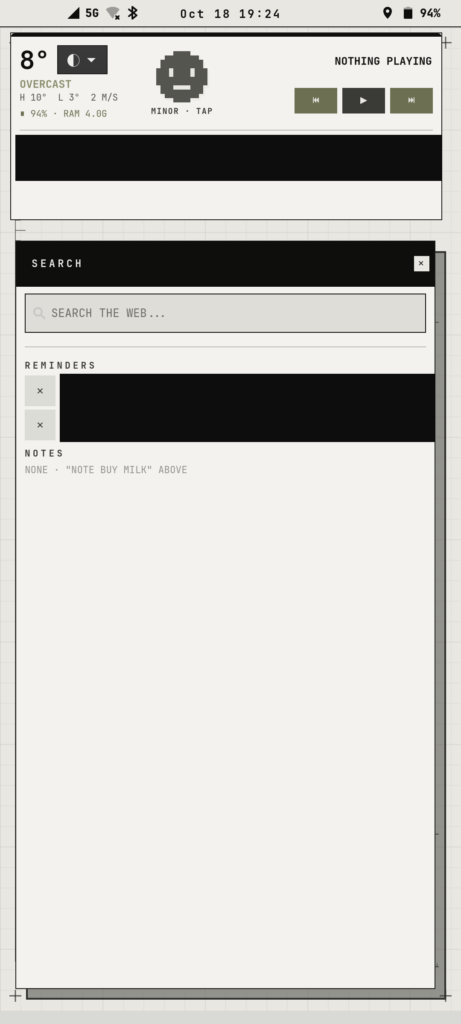
- A home screen and shell: the joystick launcher, a widget for weather, battery and health, a search pop-up with reminders and notes, a swipe keyboard with voice typing and clipboard history
- A voice assistant: hold a button and talk. It sets alarms, writes reminders and answers questions, using an AI model running on my own home computer rather than in the cloud.
- The hardware fixes that made it a phone again: calls, speaker, microphone, all three cameras, autofocus, USB-C audio, vibration, the back lights and real sleep for the battery
About 43,000 lines of code over 123 working sessions. Everything is open source: github.com/notrealOS/NotrealOS
What I learned
- Directing is the skill. The AI was wrong plenty of times: the “robotic speaker” took four theories before the real cause turned up. What moved things forward was clear briefs, honest feedback and knowing what good looks like.
- Taste doesn’t get automated. The AI could build any interface I asked for. Deciding which one was right, and when something was too much, stayed my job.
- The gap between idea and working thing has collapsed. A concept I’d once have shown as a mockup, I can now hand to someone as a working product in days.
What this means for clients
I can now take a project from concept to a working, shippable product: a branded app, an interactive campaign piece, an internal tool, a prototype people can actually use. Not a slide that describes it.
Image list
All screenshots are from the project. App screenshots use made-up data; the real-phone screenshots have personal details blacked out.