
ANDROID · 2026 · CLOSED BETA
A calm phone in two layers. Calm Launcher is a home screen that is blank on purpose, and it works on its own. Calm Layer is the apps that go with it: music, chat, mail, maps, an assistant, a camera, a gym log. Start with the launcher. Add the layer whenever you like.
- Stock Android. No root, no custom ROM. Banking apps keep working.
- No cloud other than the one you make. AI and voice run on your own computer, or on the phone itself.
- Notifications wait in a digest: one short briefing at the times you pick, instead of a buzz all day.
- Left-handed by design and right hand mode available. Ten themes, switchable live.
LAYER 1
Calm Launcher
A home screen that is blank on purpose. It works on its own, with no other app and no computer.
LAUNCHER
THE LAUNCHER
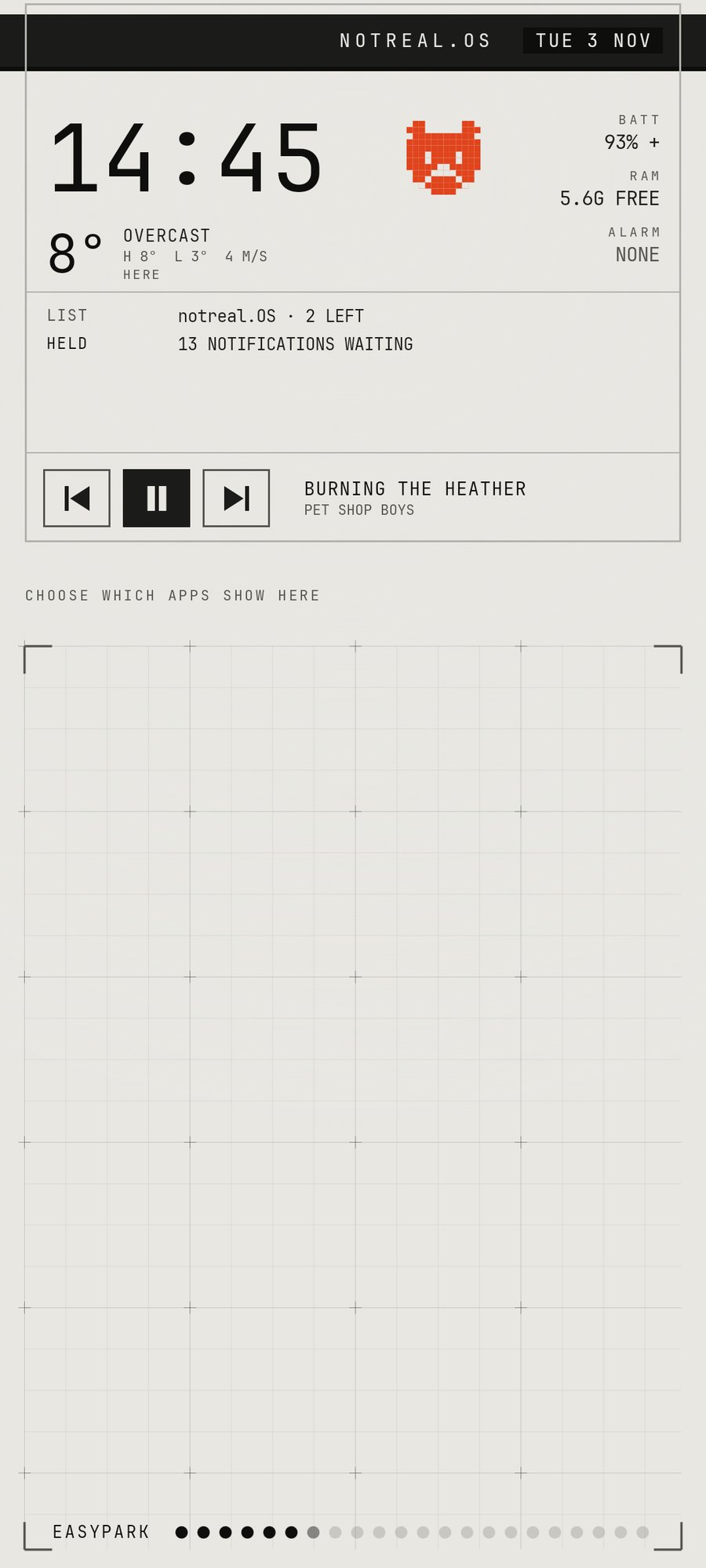
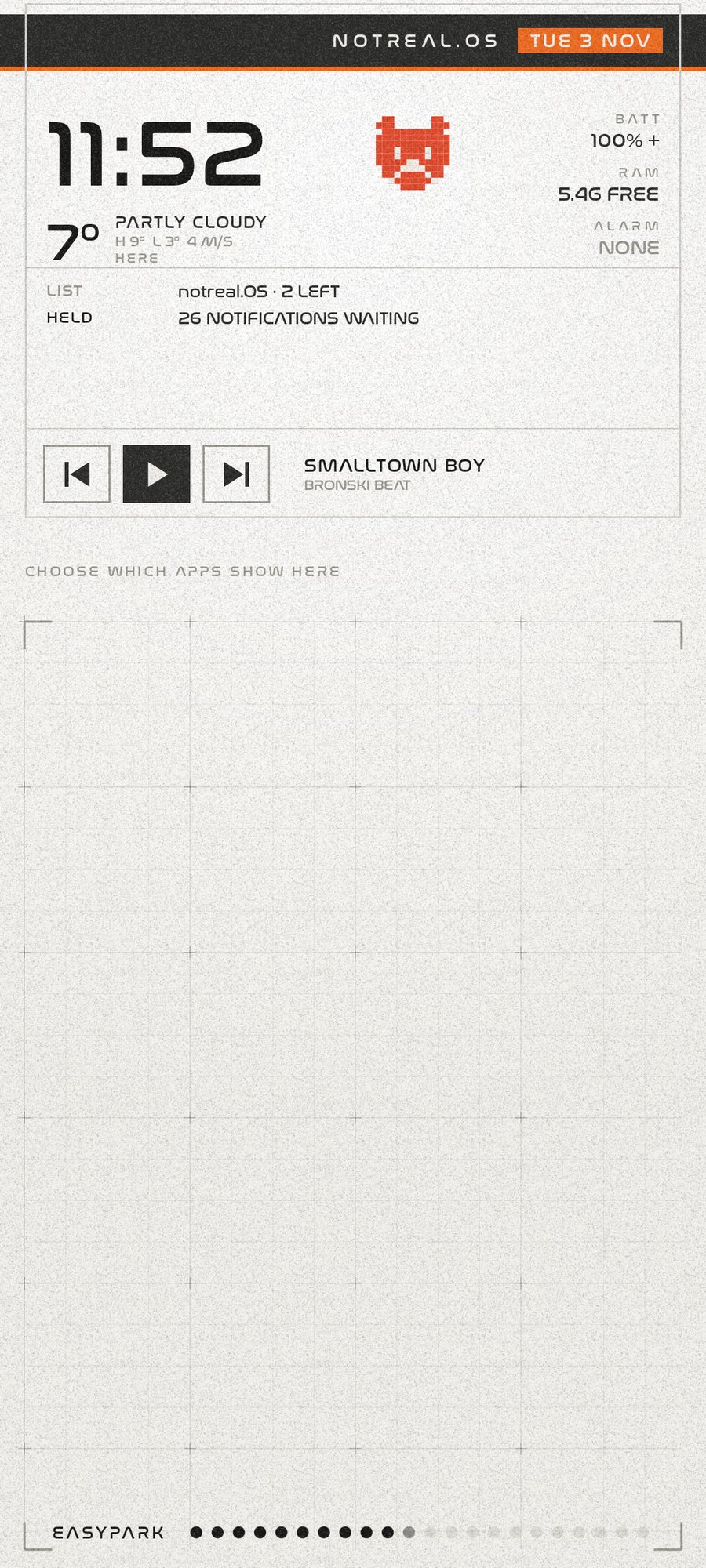
Blank on purpose. A widget on top, a schematic grid below, and nothing else competing for attention.
Home screen
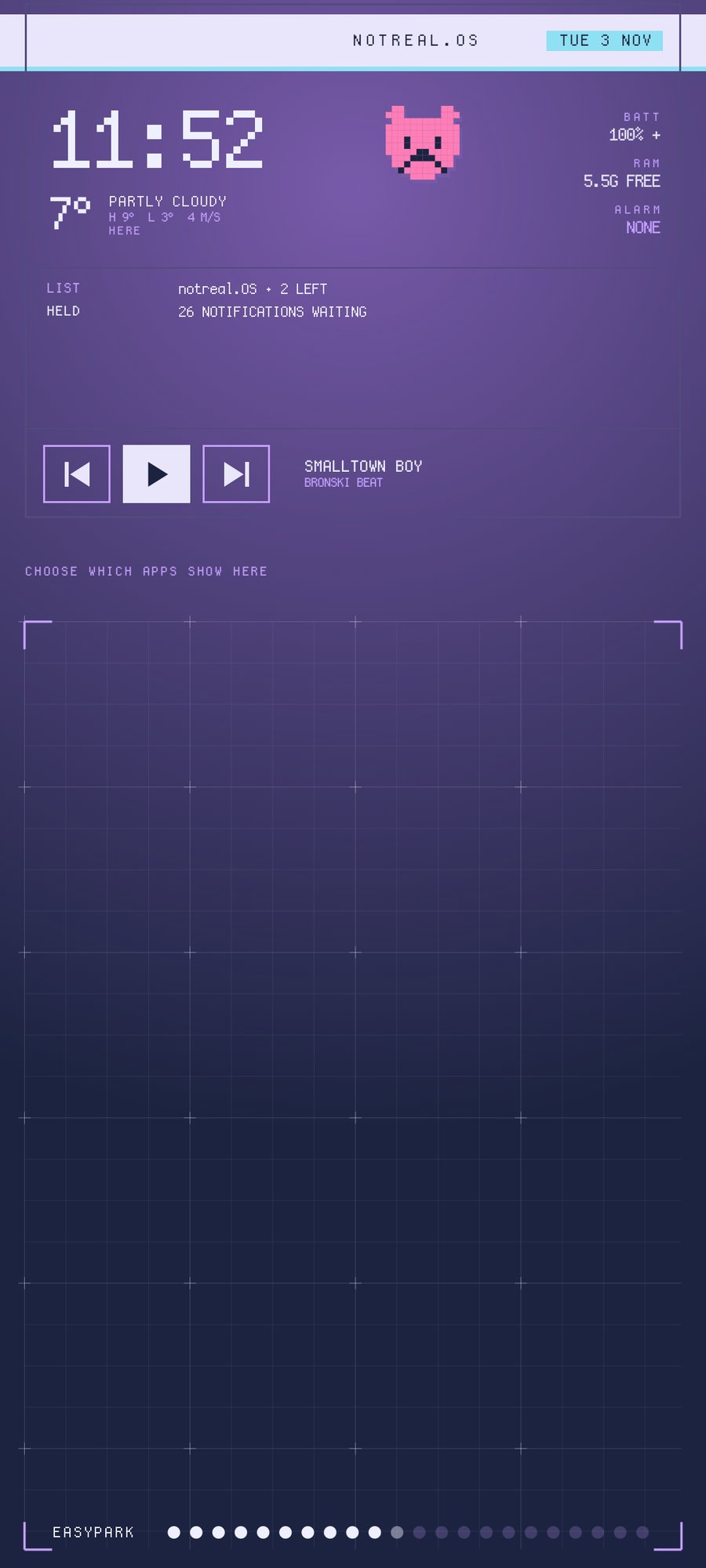
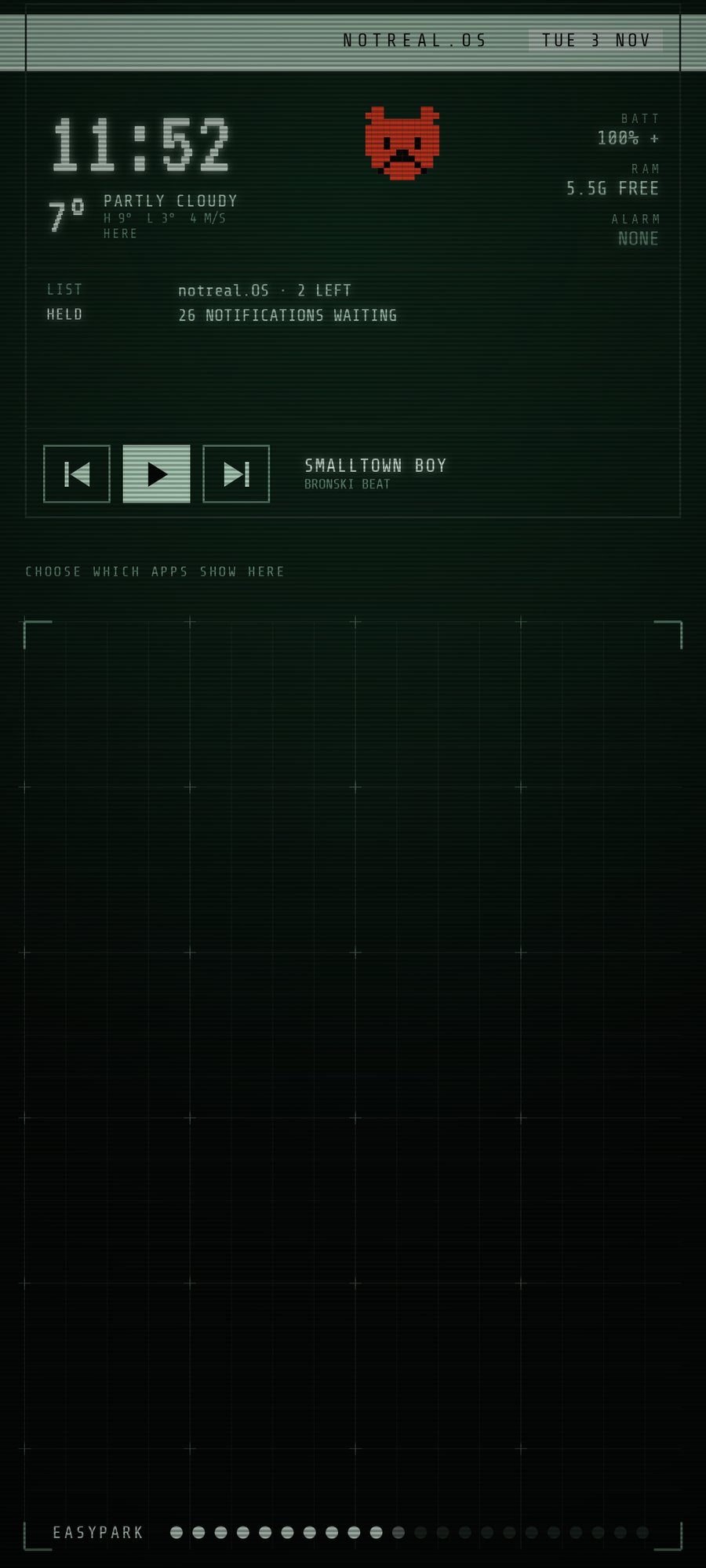
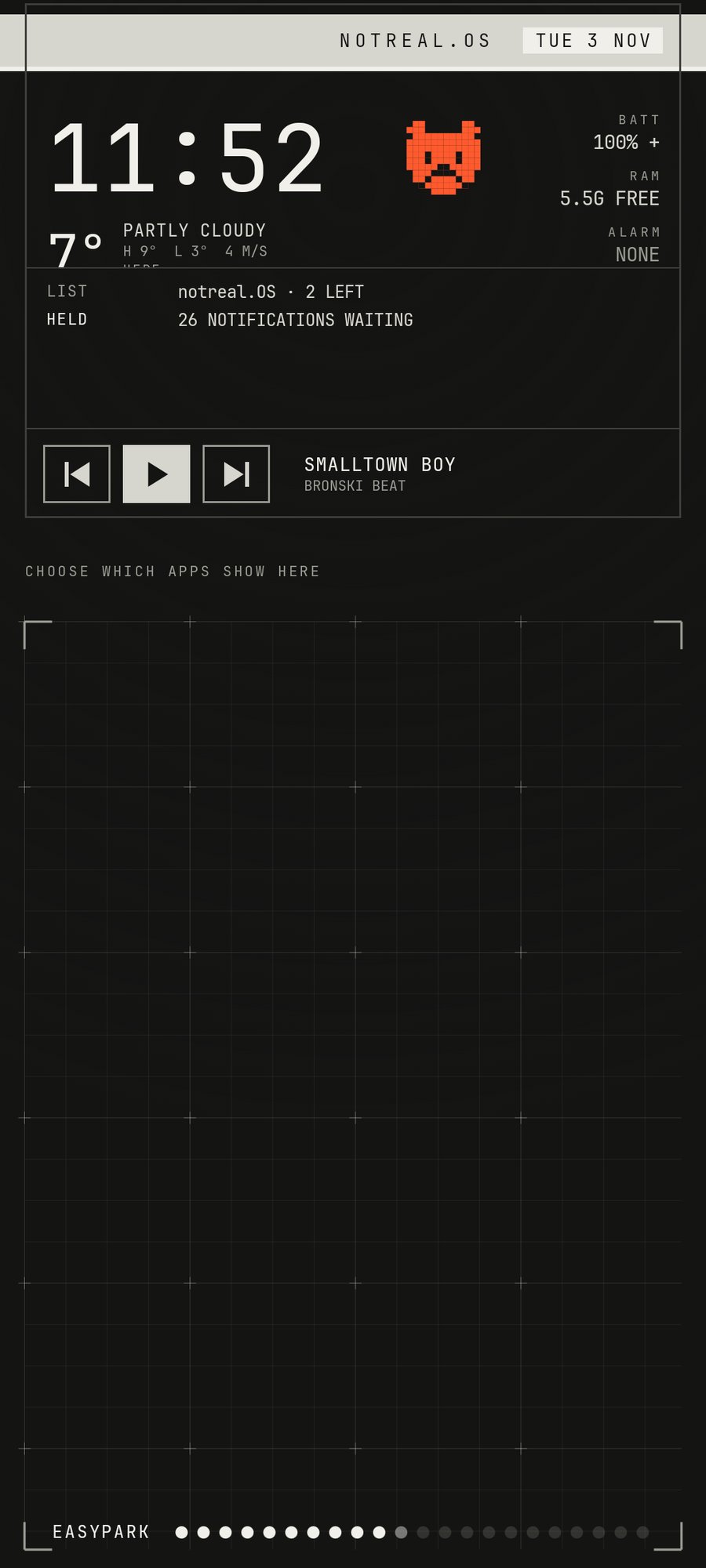
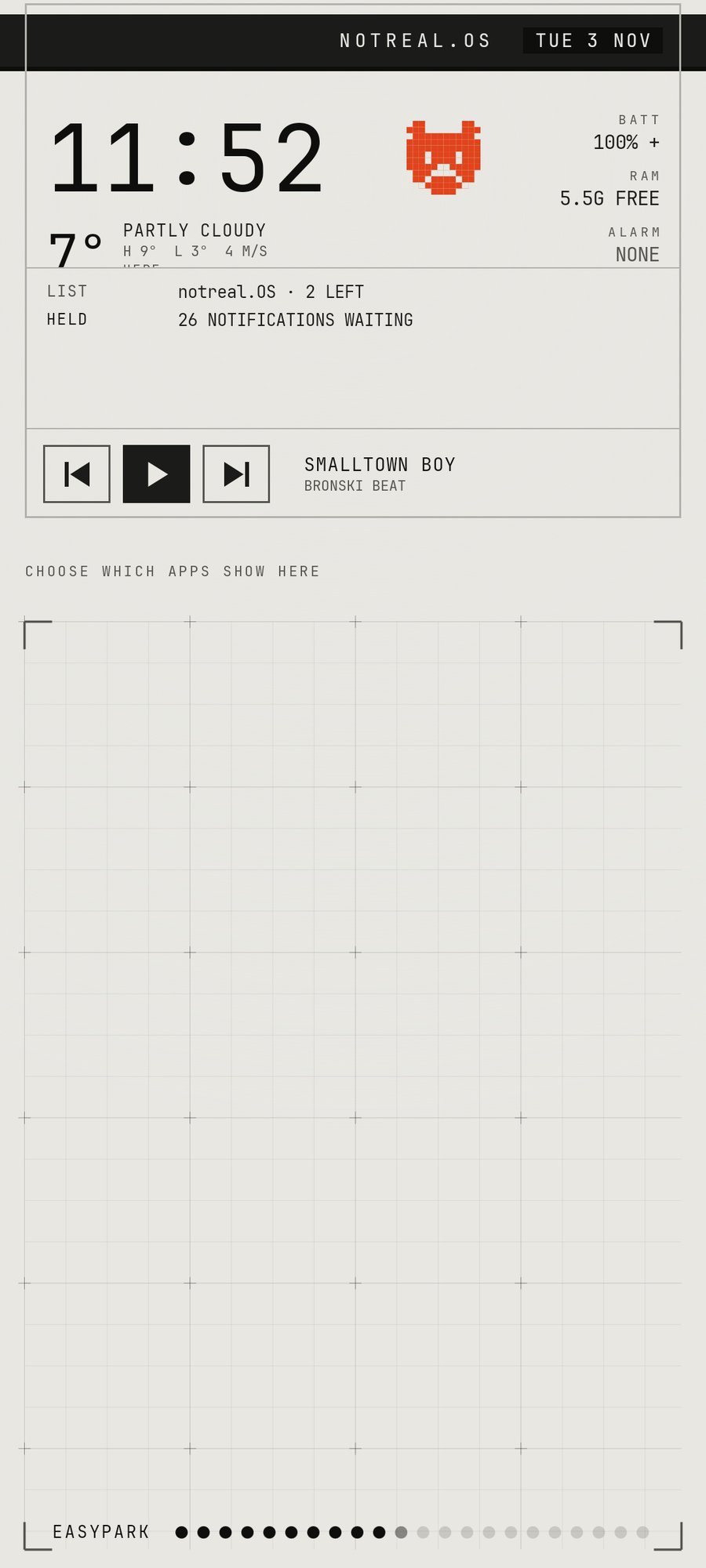
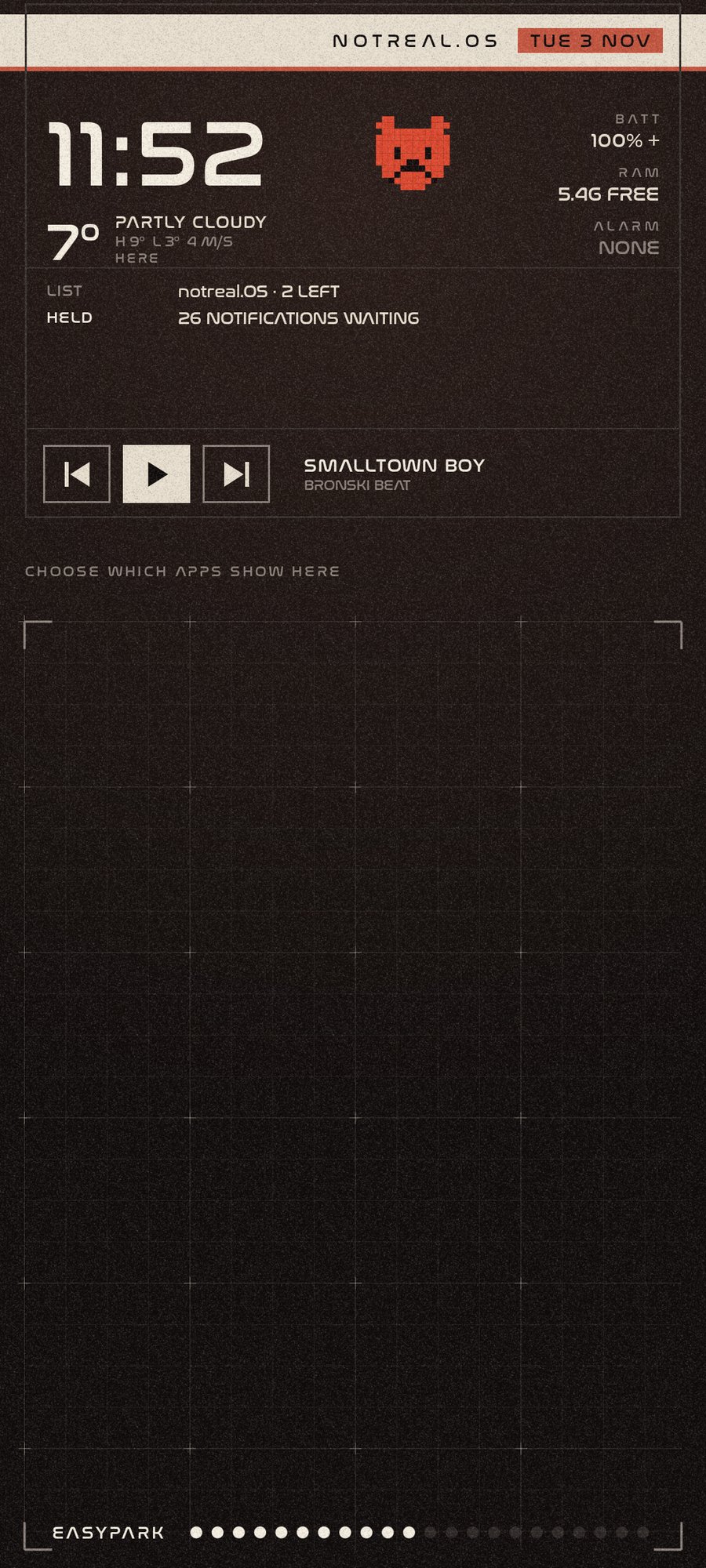
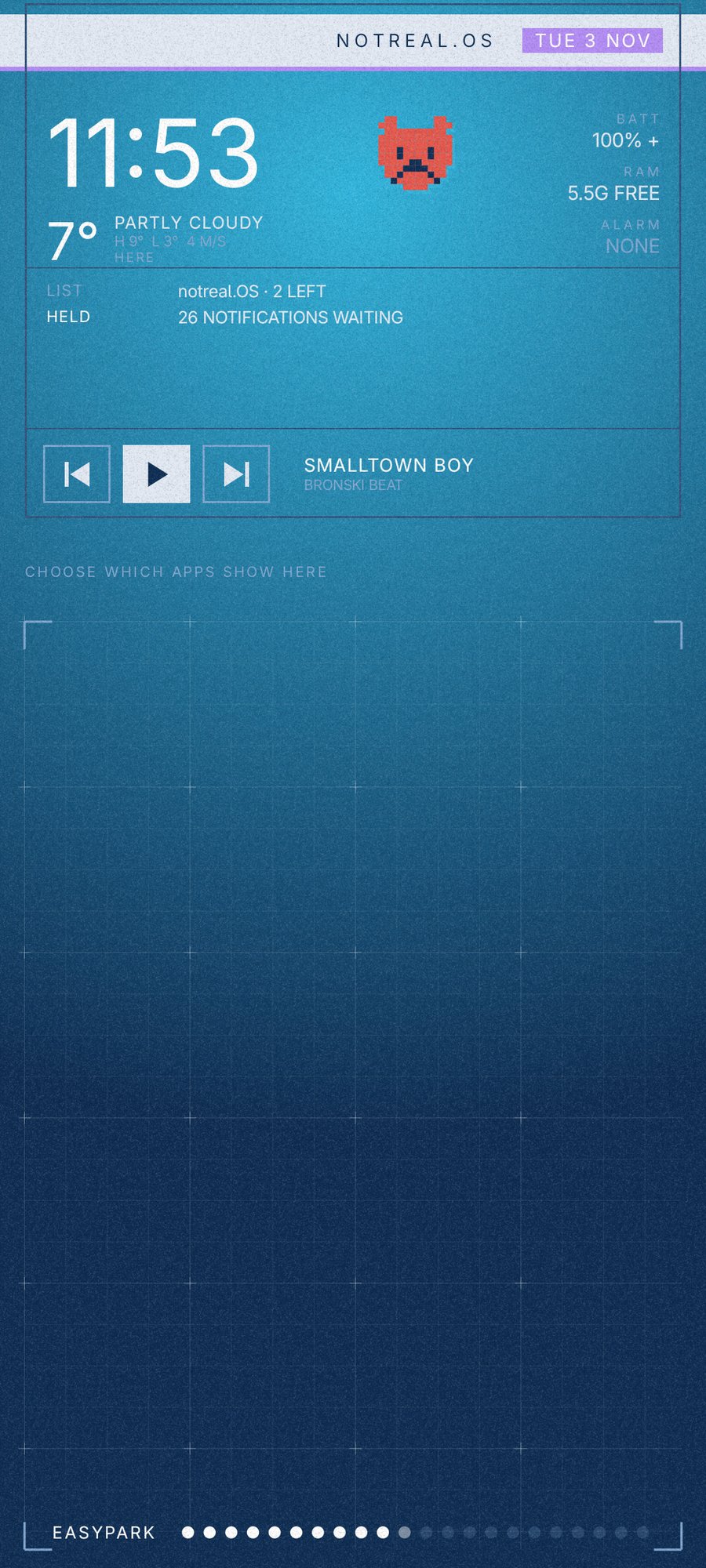
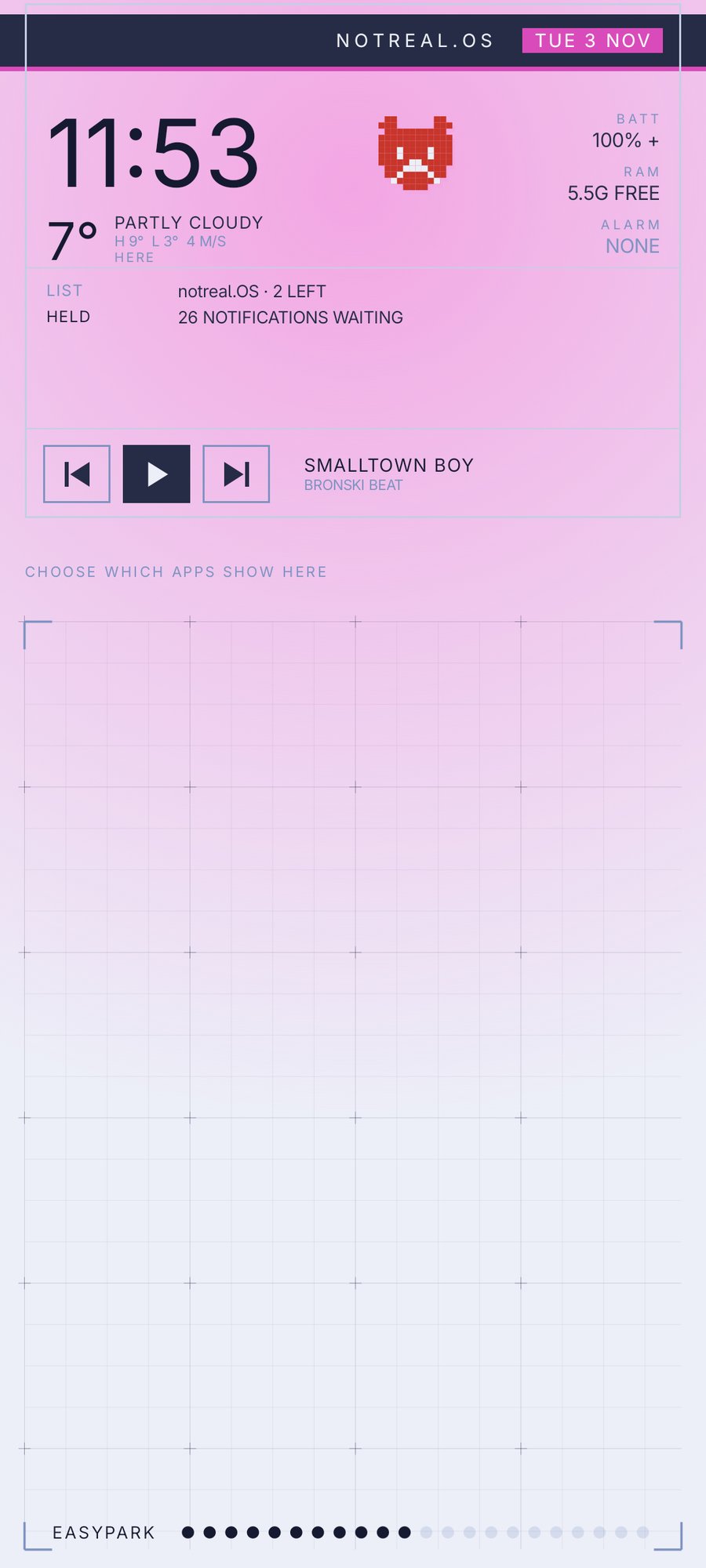
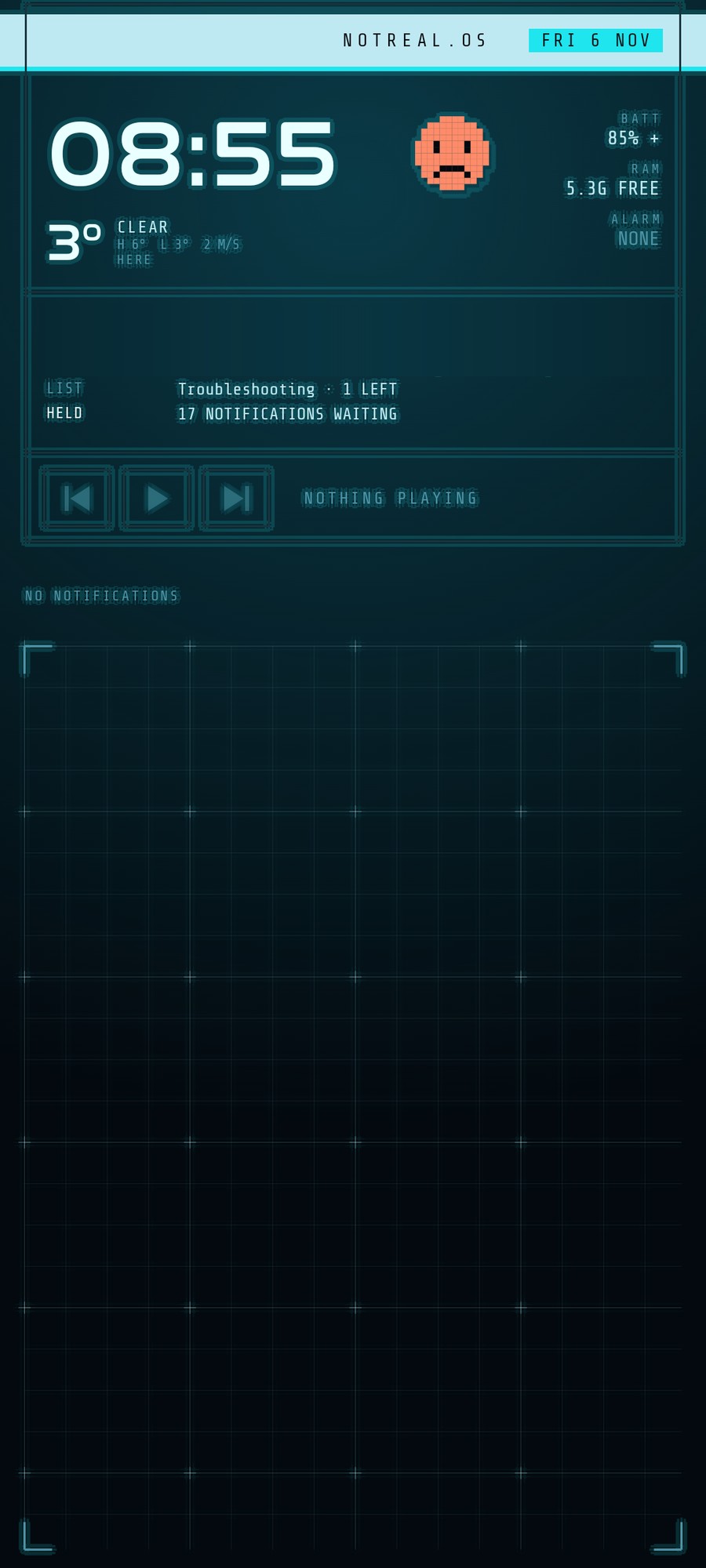
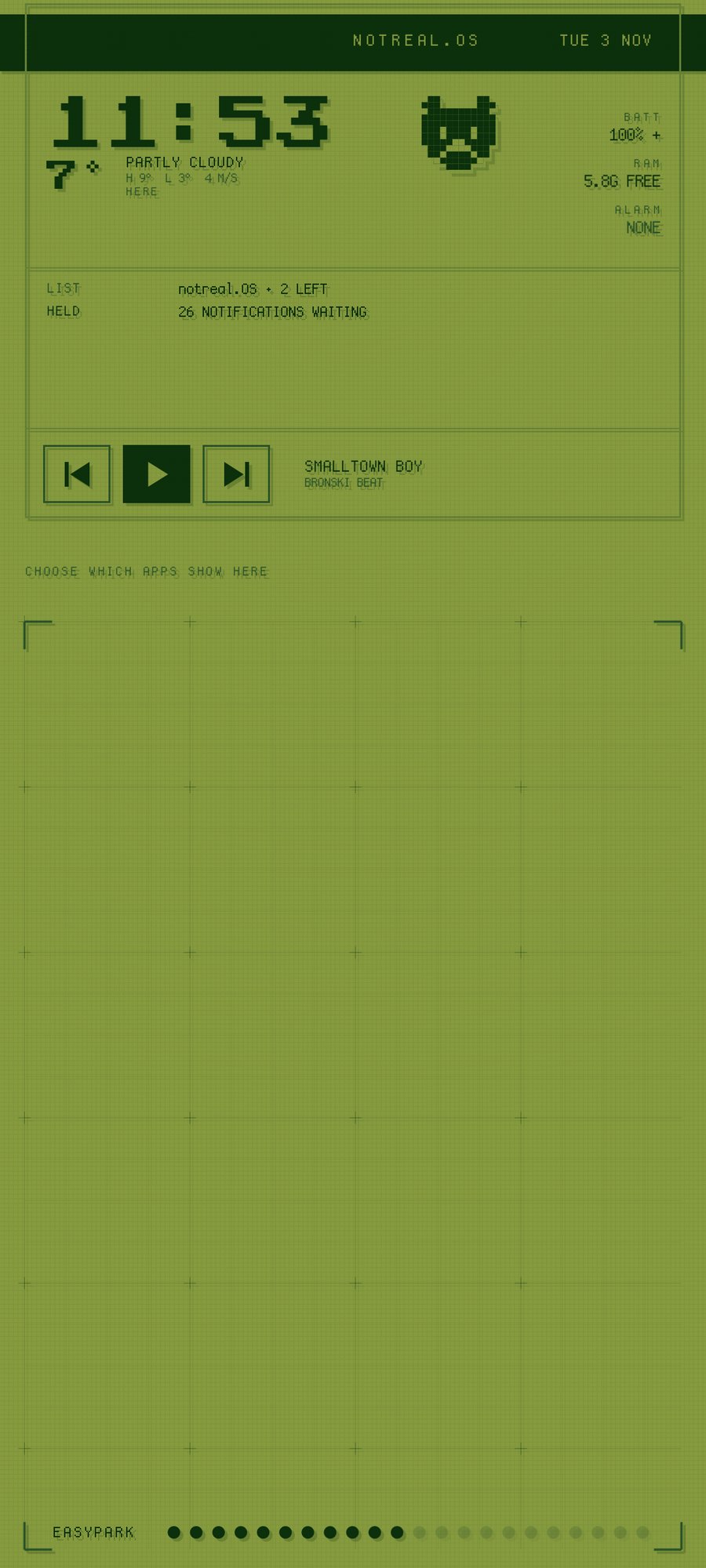
A widget on top: big clock, weather with high/low/wind, battery, free RAM, next alarm, and a now-playing strip with transport controls on the left. The pixel face blinks and slowly turns from a smile to a frown as the day's screen time grows. Below it, a calm grid where the joystick appears. At the foot, the dot row empties as a parking session or timer runs down.
MICRO theme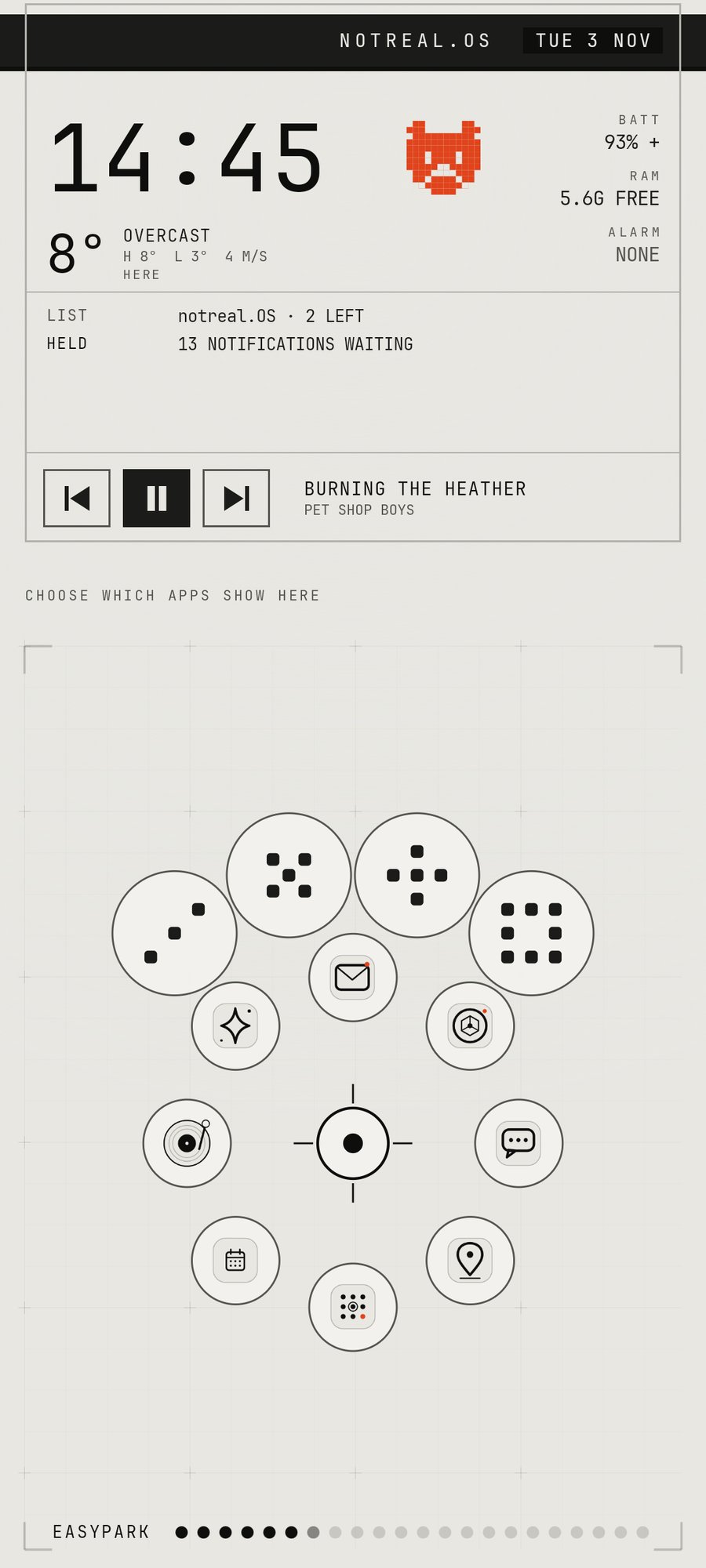
Floating joystick
Touch anywhere on the grid and a core appears under your thumb. Slide to an app and let go to open it. The inner ring holds your 8 most-used apps, ranked by your own launches. The outer ring is 0 to 5 hubs, each with one of ten quiet dot-matrix pictures. Bubbles are perfect circles that push each other aside and grow when picked.
MICRO theme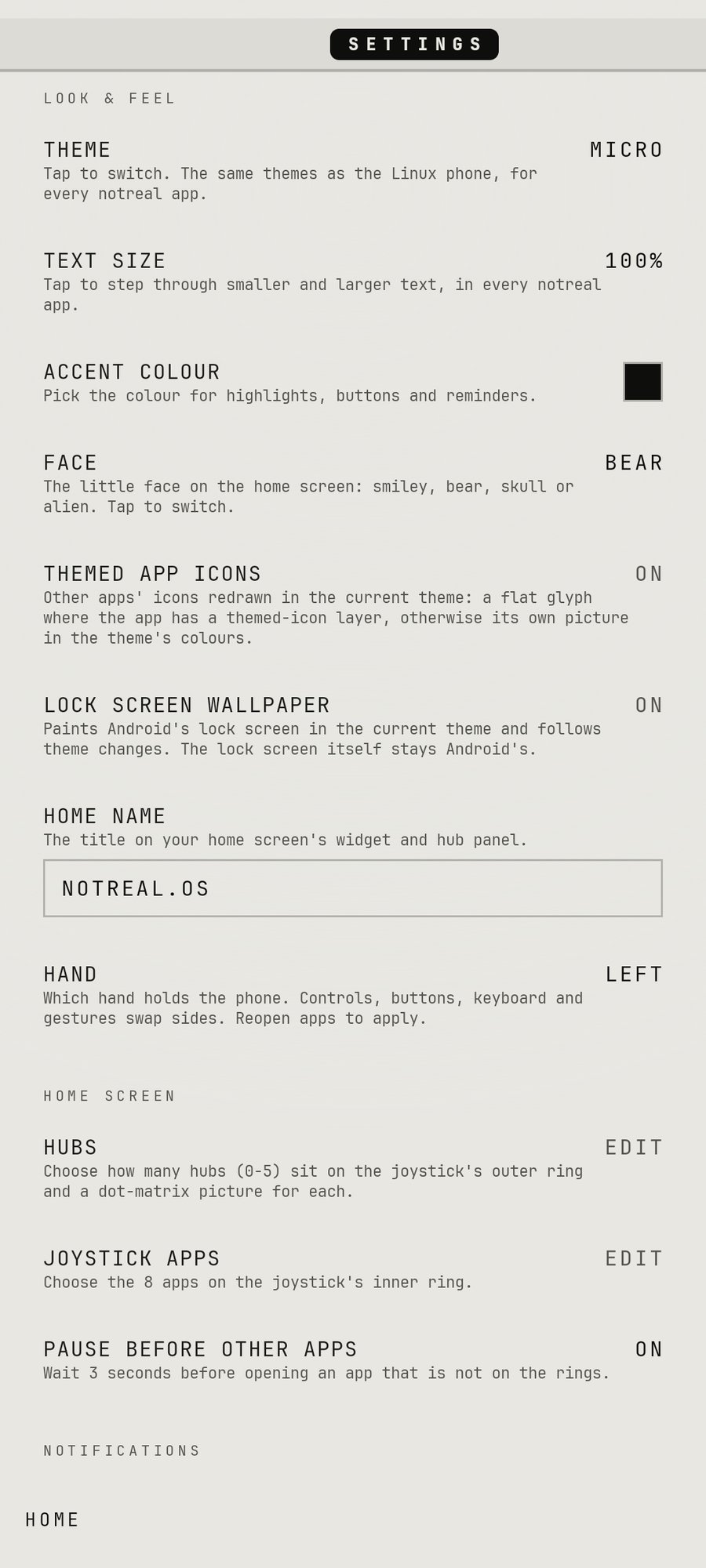
Settings in seven sections
Look and feel, Home screen, Notifications, Assistant and keyboard, Accounts and access, Tools, Setup. Theme, accent, text size (90 to 130 %), face, themed icons, hubs, joystick apps and more. Left-handed by design: frequent controls sit on the left in the launcher and every app, switchable to the right.
MICRO themeDIGEST
THE DIGEST
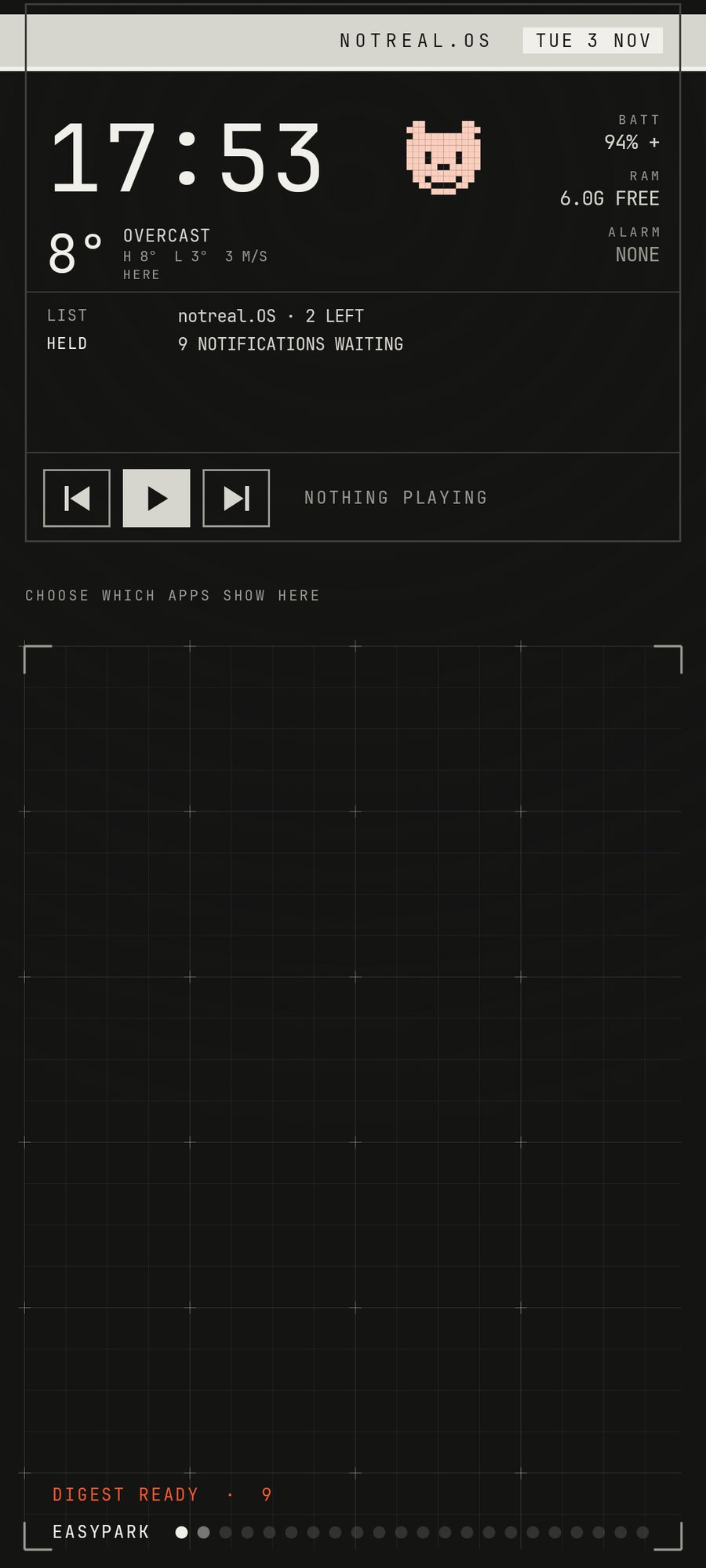
Notifications wait for you instead of buzzing all day. At the times you choose, you read one short briefing.
Held, then written for you
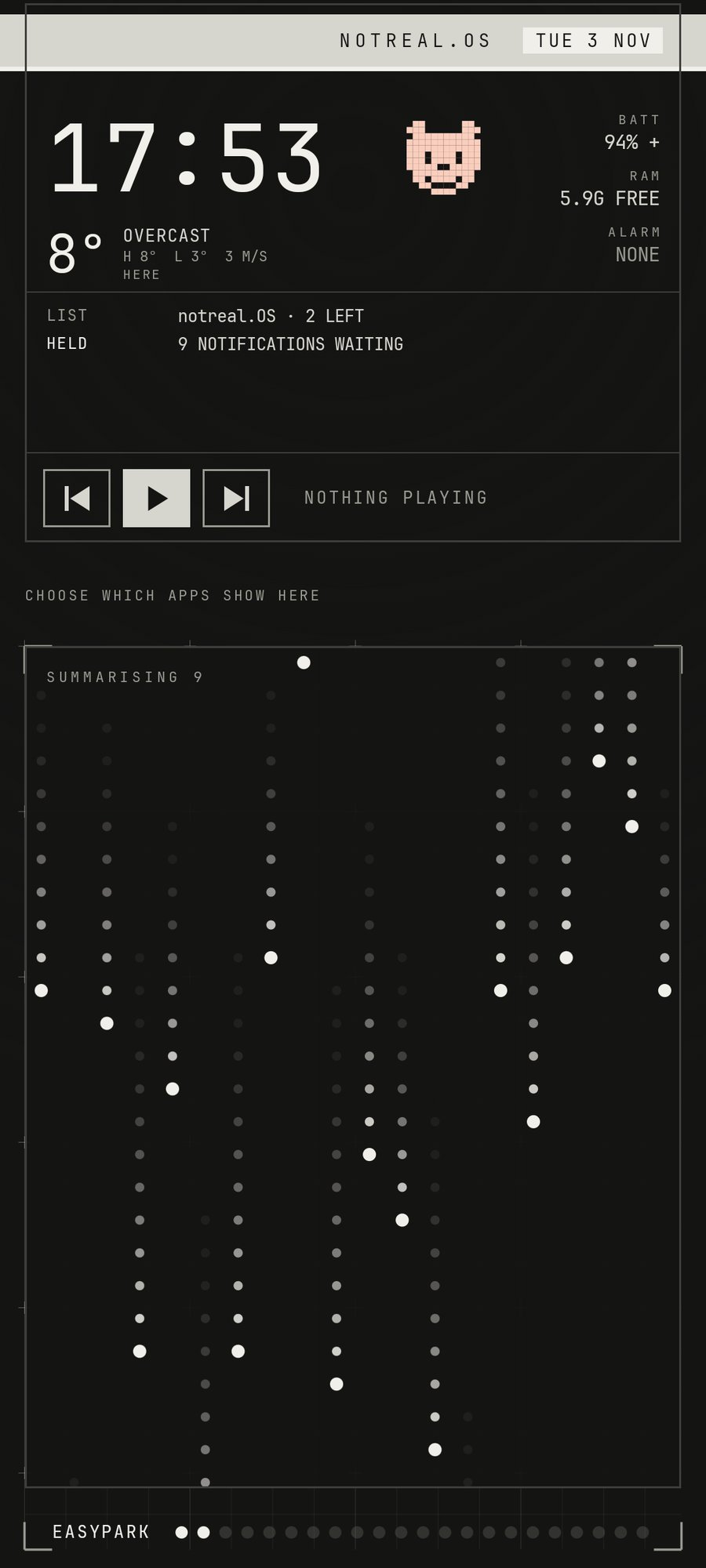
Turn on batching and ordinary notifications are held back quietly. Calls, alarms, music, navigation and any app you allow still come through. At the times you set, up to three a day and 09:00 and 18:00 by default, a notice says how much is waiting and the summary is written ahead of time. The widget shows how many are held. Tap it and the grid rains dots while the briefing is written.
MICRODARK theme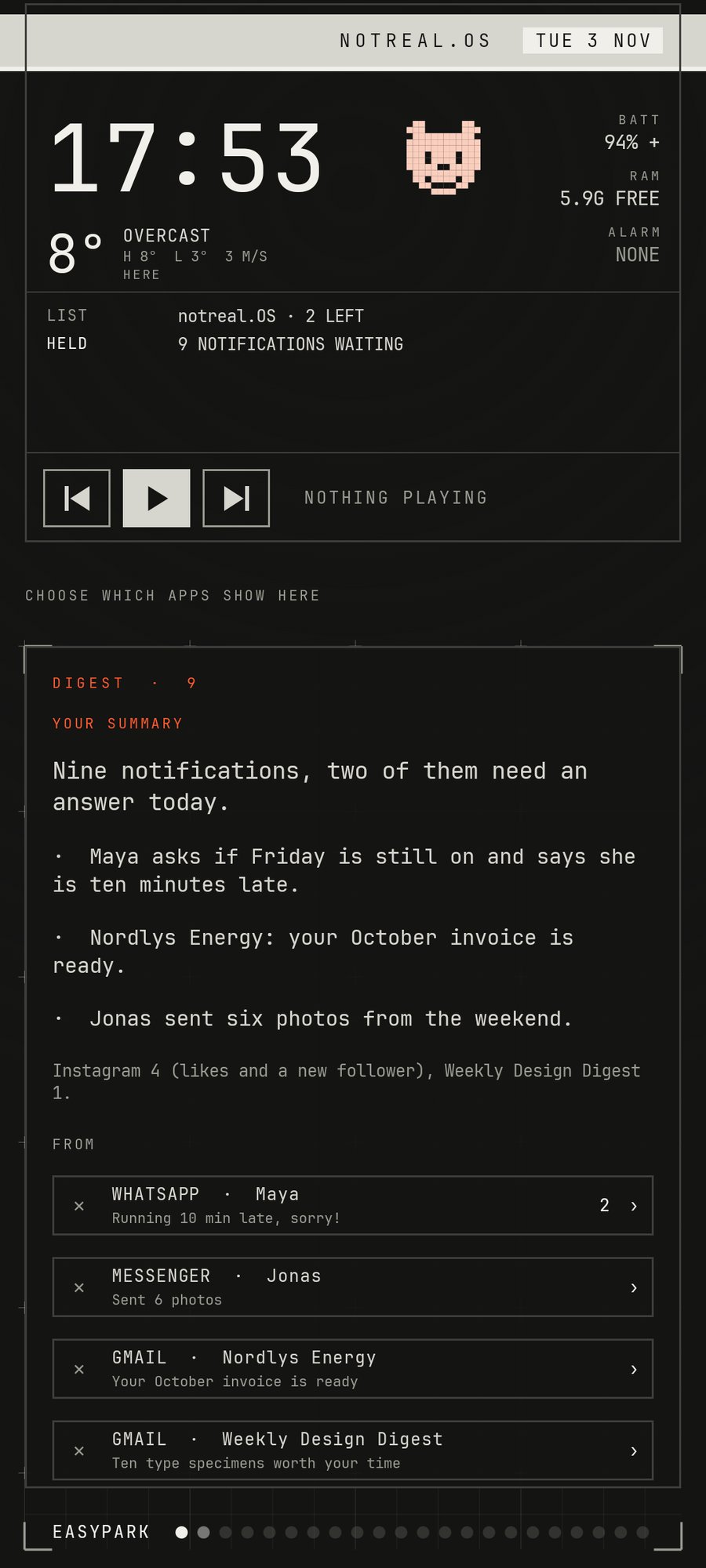
A briefing, not a list
An overview first, then what needs you with who asked and what, a line of news, and one dim line for the noise: promos, bots and app chatter. Below it, one row per app, or per sender in chat apps. Tap a row to open that conversation, swipe it away or press X to drop it. Tap the summary to mark everything read, or press Back to keep it for later. Your own computer writes it, so nothing goes to a cloud assistant. With the computer off, the phone's small model writes a plainer version.
MICRODARK themeKEYBOARD
Notes and reminders from the keyboard
The swipe keyboard is part of the launcher, and it feeds your home screen.
- Hold C on the keyboard and a sticky note opens above it, in any app. What you write is kept as you type.
- Write when in your own words, such as call dad tomorrow at 9 or in 20 minutes stretch, and tap REMIND: it becomes a launcher reminder.
- INSERT pastes the note into the app you are typing in. SAVE keeps it. CLEAR empties it.
- Type remind me in 5m tea into the launcher’s search and it is set too.
- The same keyboard has a clipboard, emoji, voice typing, and word packs for English, Spanish, French and Swedish.
BUILTIN
BUILT IN
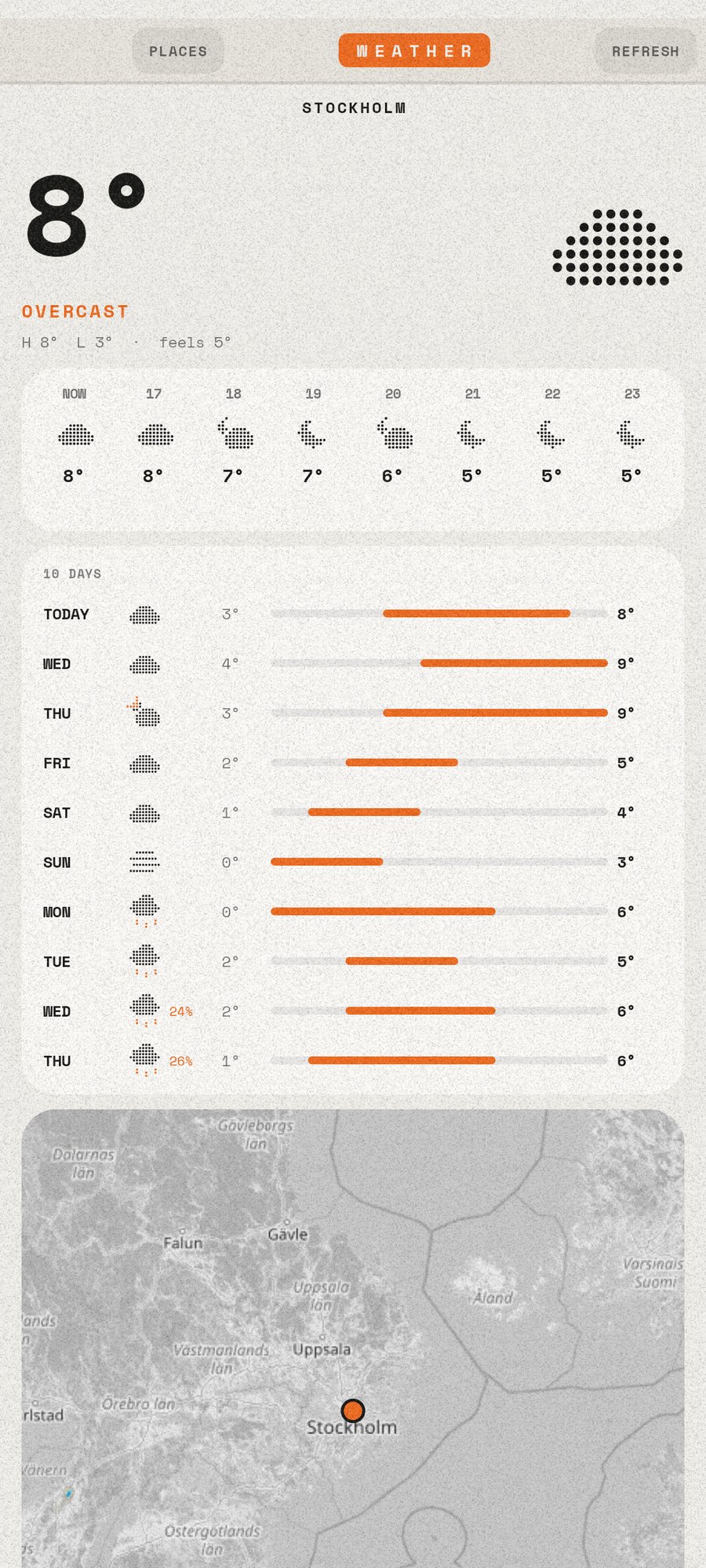
Weather and the clock ride inside the launcher, in the same theme.
notreal.weather
Current conditions with high, low and wind, a rain radar and a carousel of saved places. Open-Meteo, no account.
NASA theme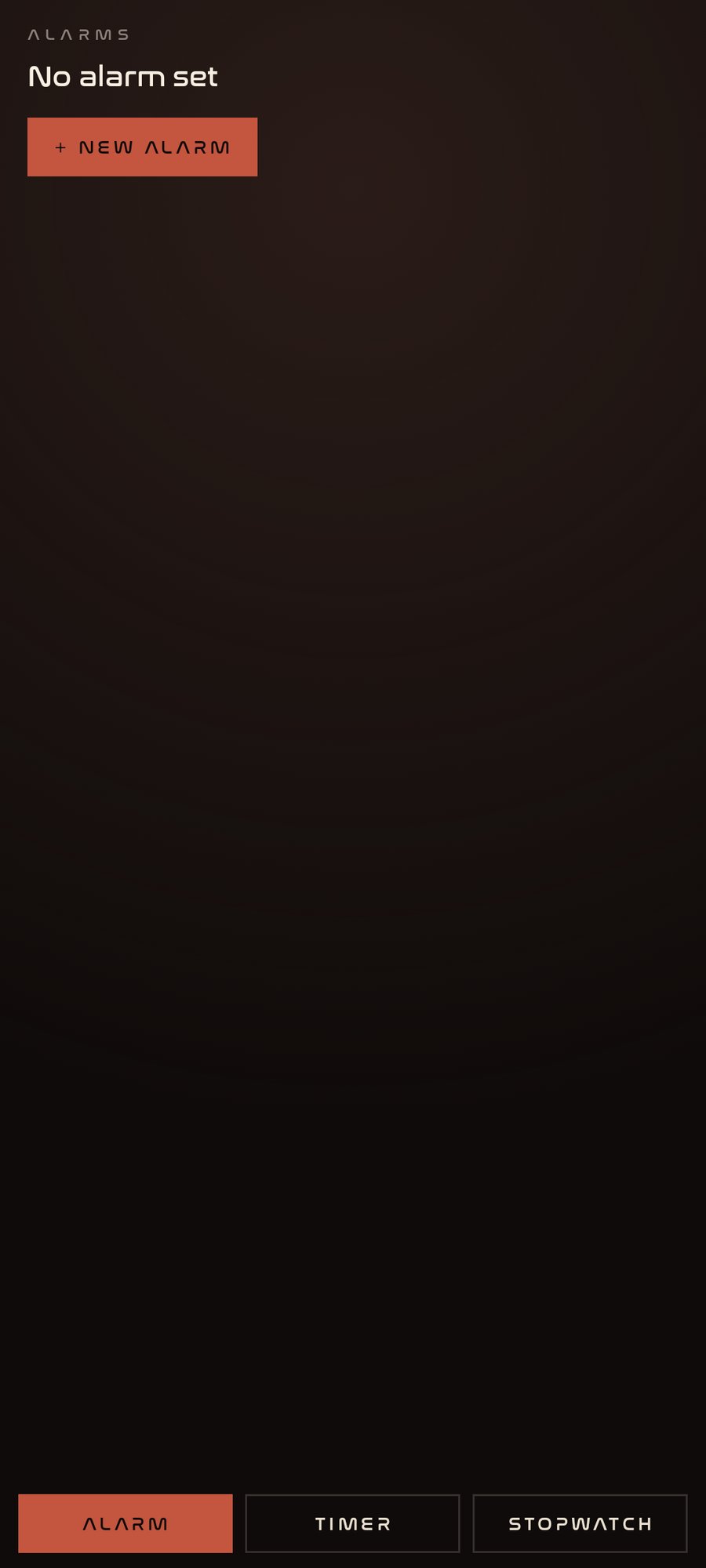
notreal.clock
Alarms with snooze and custom sound, timers and a stopwatch. Real alarms that wake the phone. It opens from the widget clock, and a running timer shows as a dot bar on the home grid.
DARKMATTER themeTHEMES
TEN THEMES
Switch live. Every app follows the launcher's theme, accent, hand and text size, with no restart.
LAYER 2
Calm Layer
The apps that finish the job. Each one works alone. Install the ones you want, now or later.
APPS
THE APPS
One look across all of them. Where a screenshot would show private mail or messages, these use invented demo accounts.
notreal.player: your own library
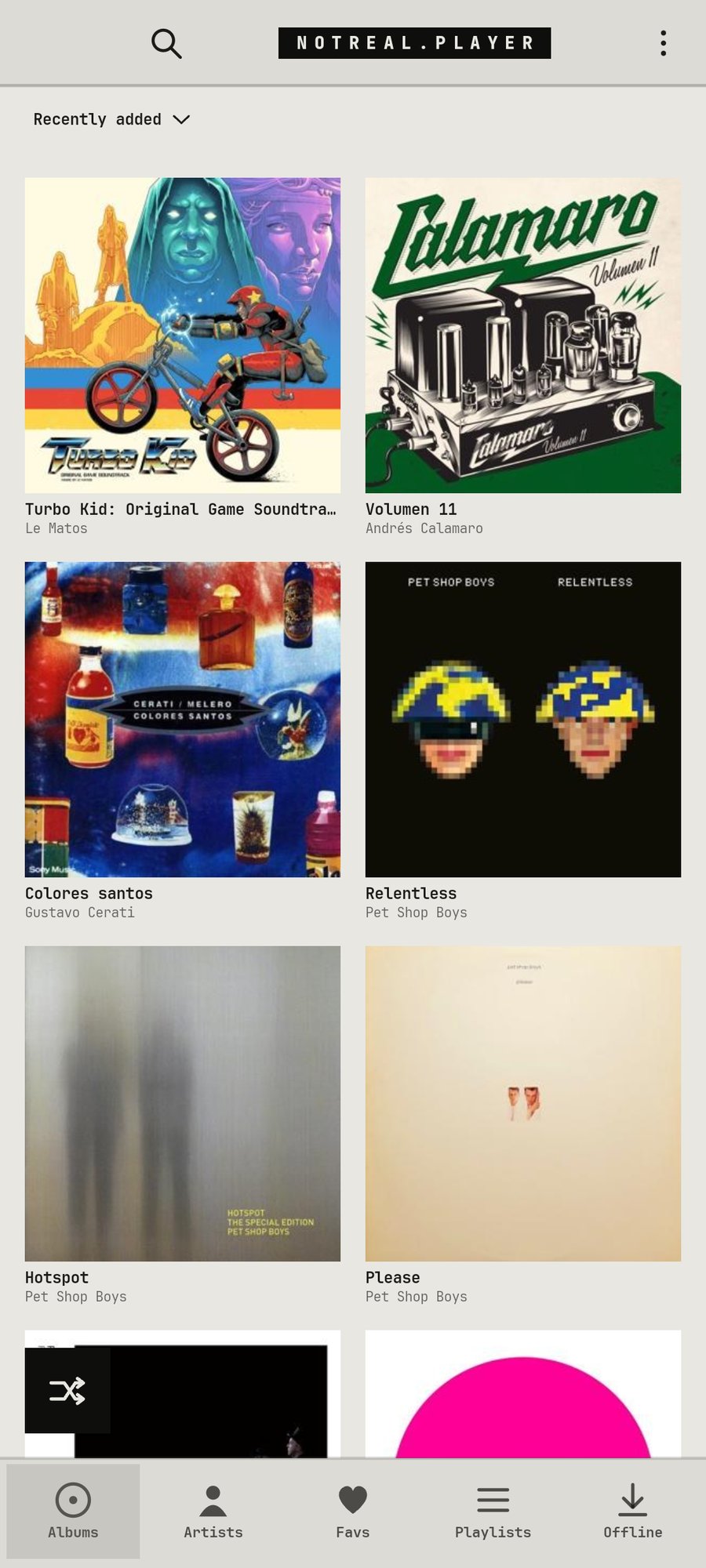
A client for Navidrome, Subsonic and Jellyfin; the server type is detected automatically. Albums, Artists, Favourites, Playlists and Offline tabs, search, queue, mix, 1 to 5 star ratings and a heart. Animated album covers play on the grids. HI-FI mode sends bit-perfect audio straight to a USB DAC.
MICRO theme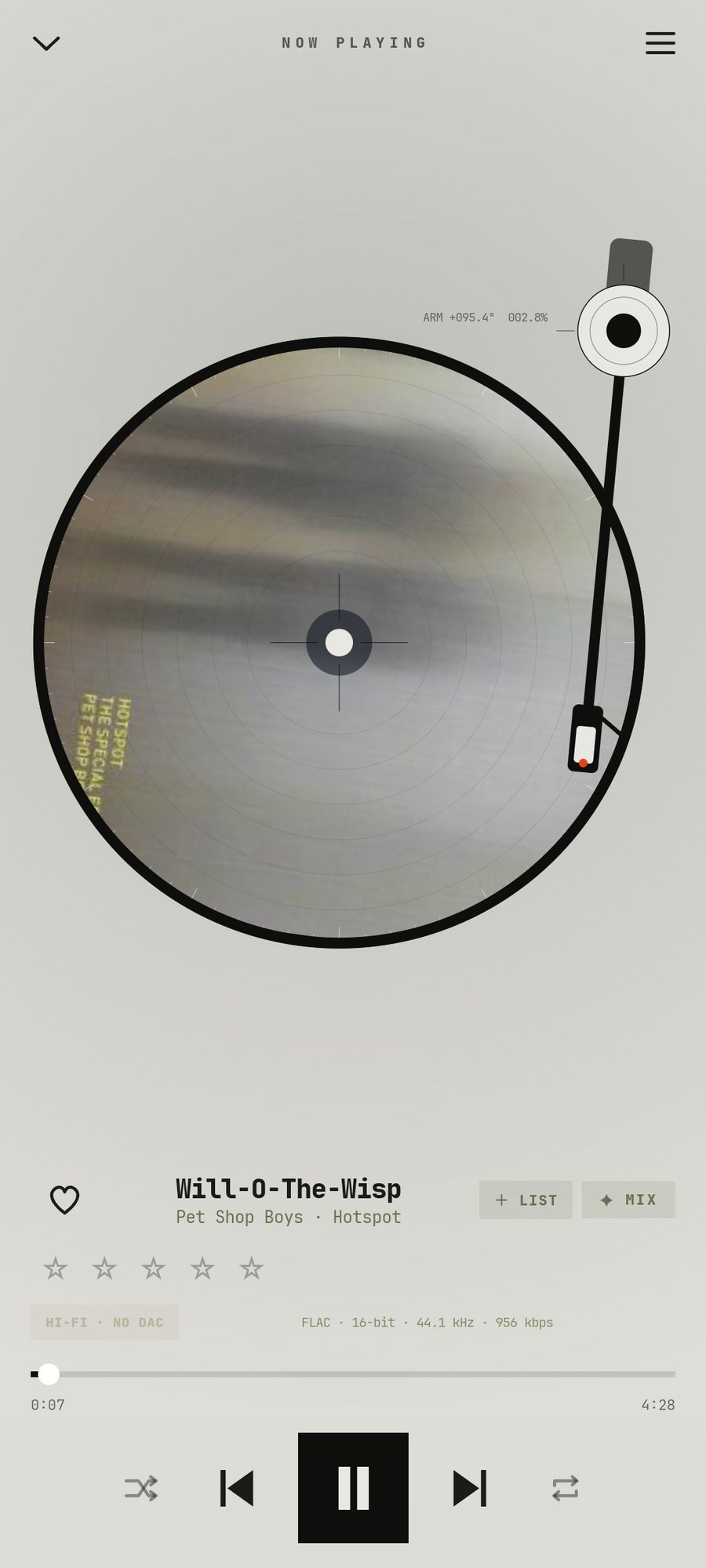
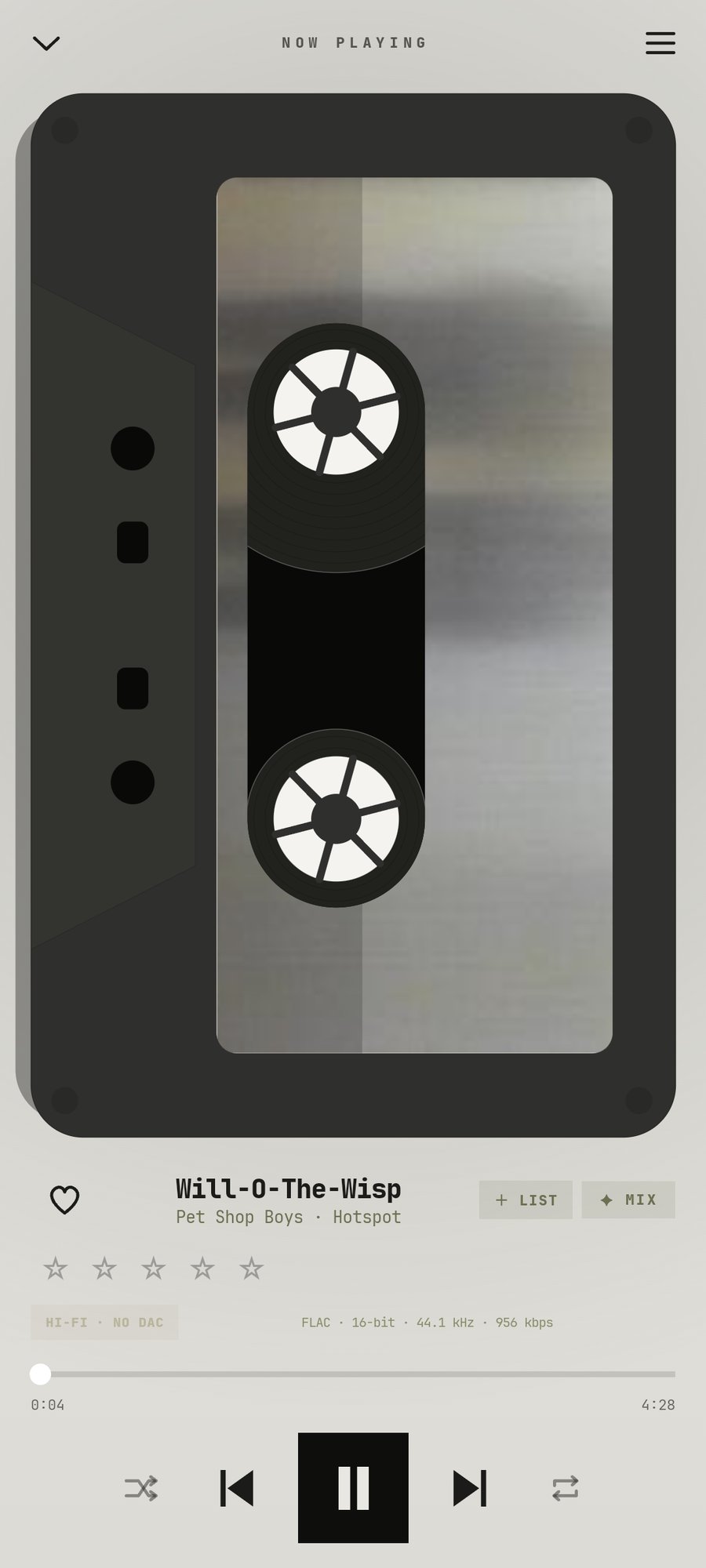
Vinyl or cassette
Now playing is a spinning vinyl with grooves, glint and a tonearm that tracks progress. Long-press the cover and it becomes a cassette: the reels spin, the tape moves from one spool to the other as the song goes, and the colours follow your theme. An animated cover plays inside the label.
MICRO theme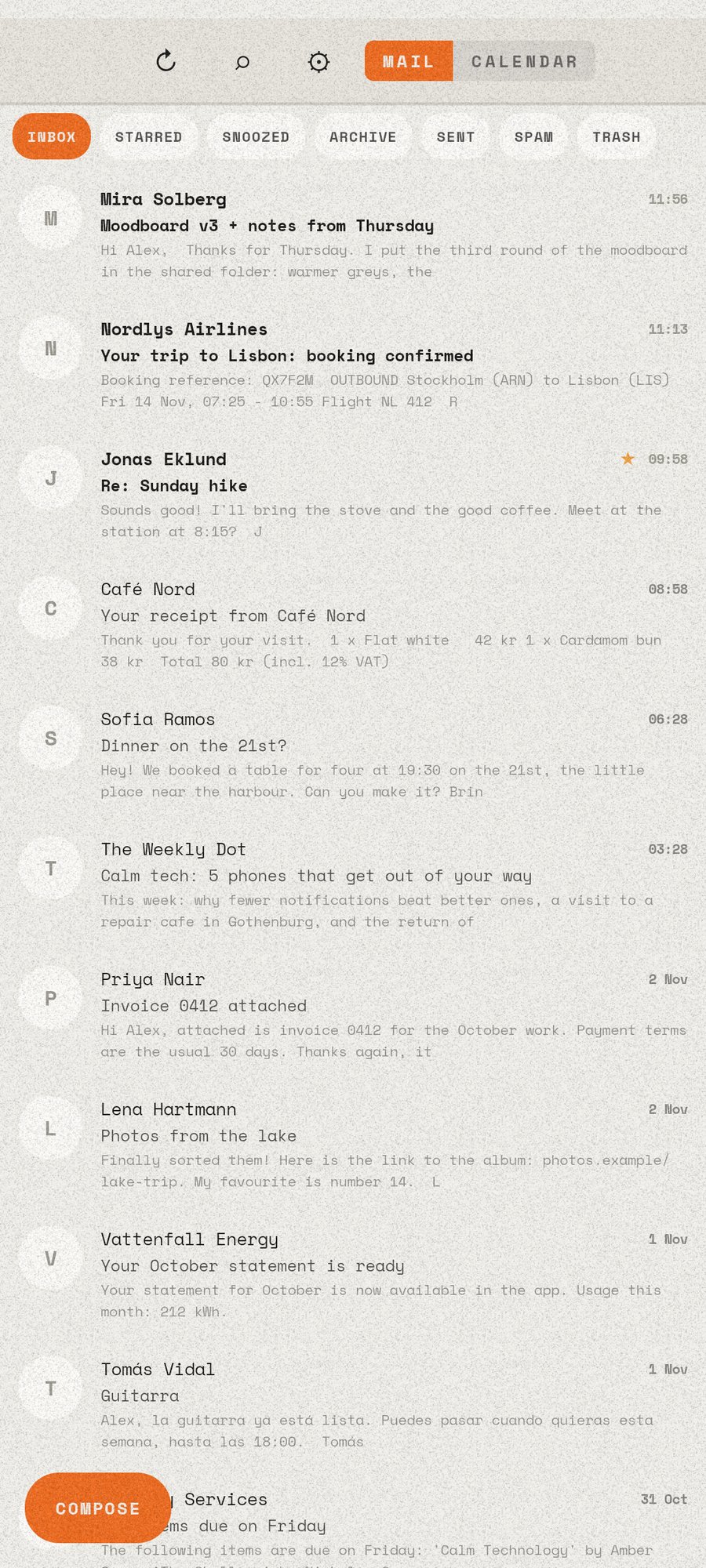
notreal.mail
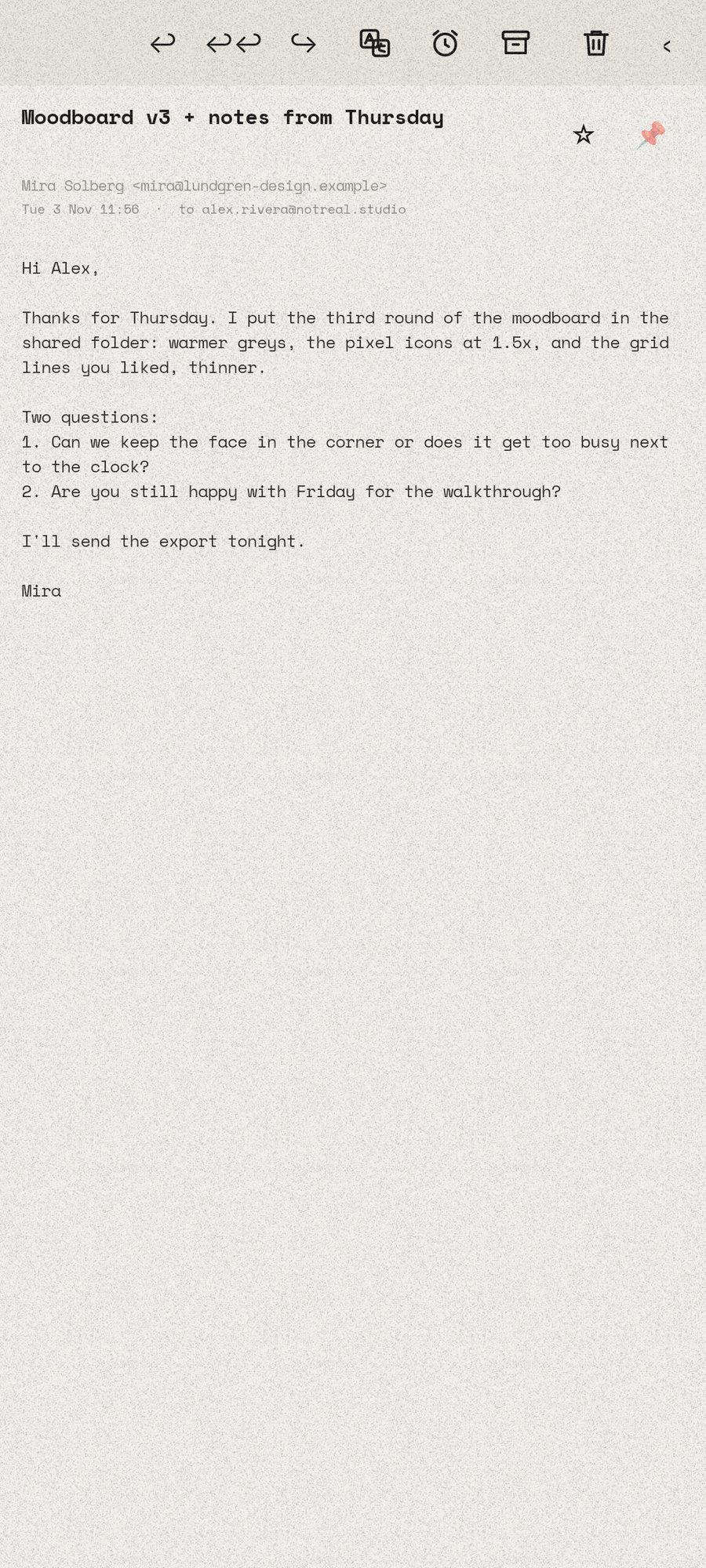
Gmail, Microsoft 365 and any IMAP/SMTP account in one merged inbox, with per-message account chips. Tabs for Inbox, Starred, Snoozed, Archive, Sent, Spam and Trash. Swipe right to snooze, left to trash with undo. Search with Gmail operators, translate, outlined icons, and a MAIL | CALENDAR switch in the top bar. Demo account.
Demo account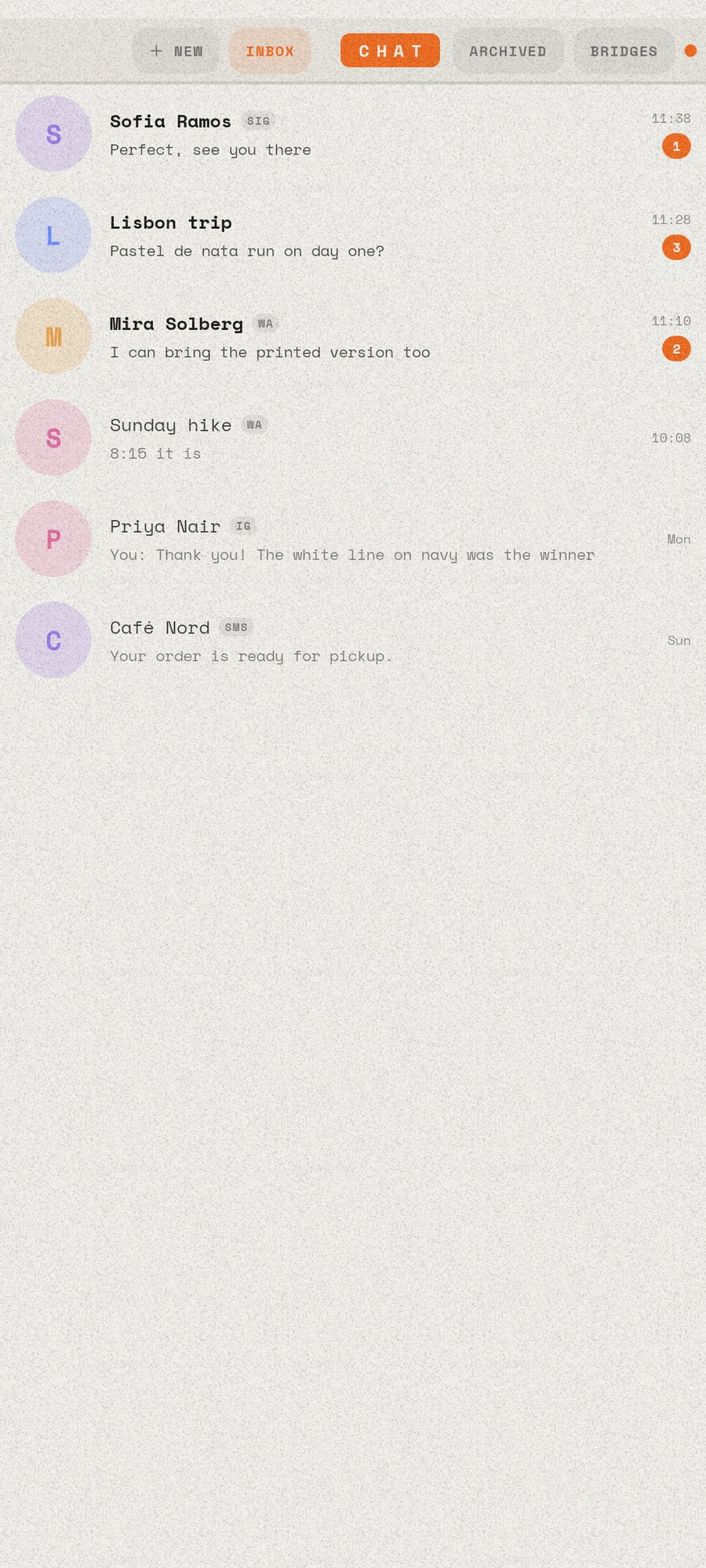
notreal.chat
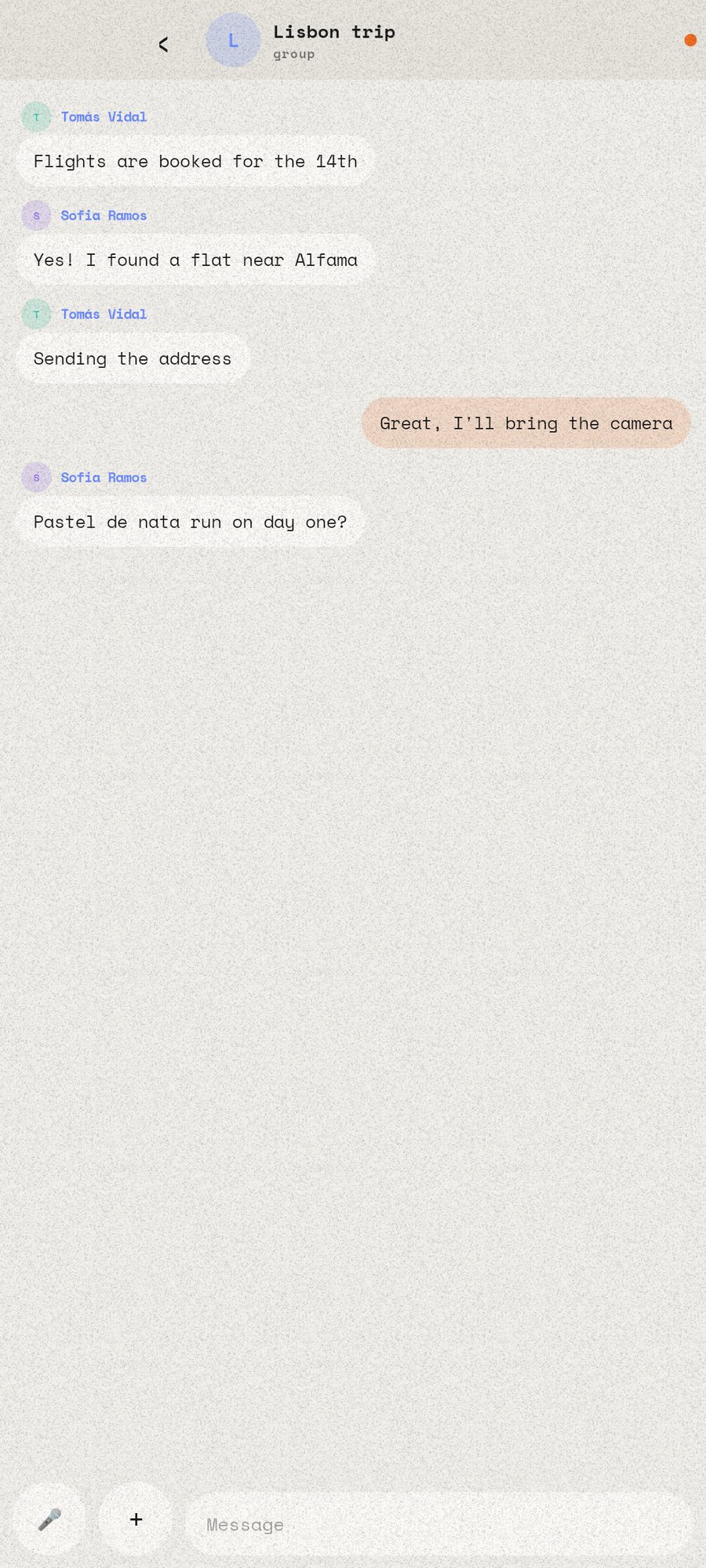
A Matrix client through your own server, with bridges to WhatsApp, Messenger, Instagram and Signal. Unread counts, network tags, archive, replies, reactions, photos, voice notes, animated stickers and GIFs. Invites are never auto-joined. Demo account.
Demo account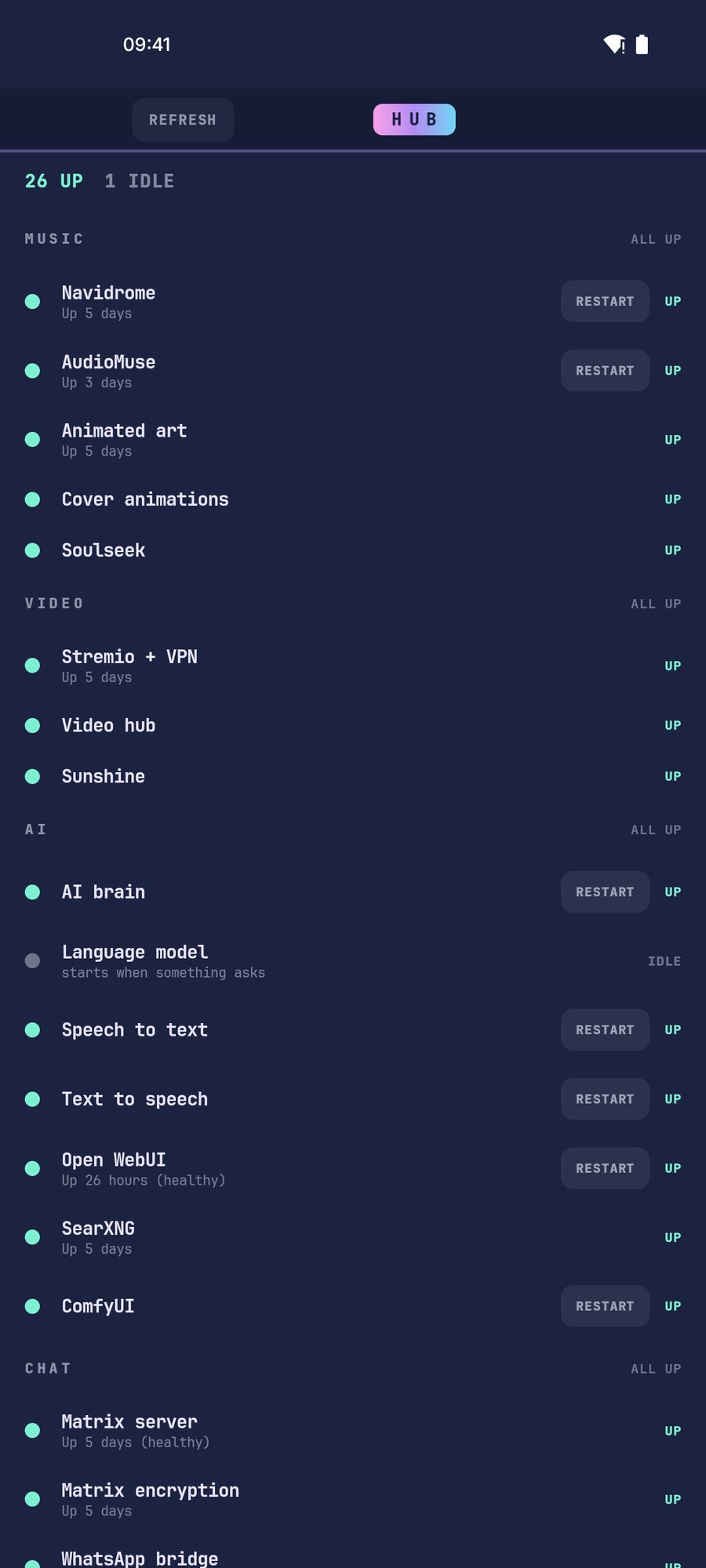
notreal.hub
The home PC's services grouped by music, video, AI, chat and system, with up, degraded and down dots, RAM, GPU and disk meters, restart buttons and a notification when something goes down.
VAPOR themePUMP
AND MORE
Smaller apps in the same layer.
- Pump (coming soon): a gym log. Guided sets with rest timers, a suggested weight for next time, workouts saved to Health Connect, and workout music from your Player.
- Maps: your own Google key, saved places, routes and walking navigation, with a trip playlist. While you walk, the route is also drawn on the launcher’s home grid like a small radar: you in the middle, the way ahead lit up, and the next turn blinking.
- Ask: an assistant for questions, commands and pictures.
- Camera, Watch (video links through your home computer) and Hub (your computer’s services at a glance).
CONNECT
How they connect
The layer is more than a pile of apps. They share things with each other and with the launcher.
- Reminders written in the keyboard show on the launcher.
- Messages from Chat and Mail appear on the launcher’s notification strip, and the digest summarises them.
- Maps feed the launcher’s radar: start a walk and the route appears on your home grid, with you in the middle.
- Pump and Maps start a playlist from your Player: pick one of your own lists for a workout or a trip.
- One look: theme, accent colour, text size, language and left or right hand follow the launcher in every app.
COMPUTER
Your computer at home (optional)
Nothing above needs one.
- If you have a computer or server at home, the assistant, voice typing and the digest can run on it instead of the phone, and they get better.
- It stays yours: nothing is sent to us. Watch and Hub need it.
PRIVACY
PRIVACY
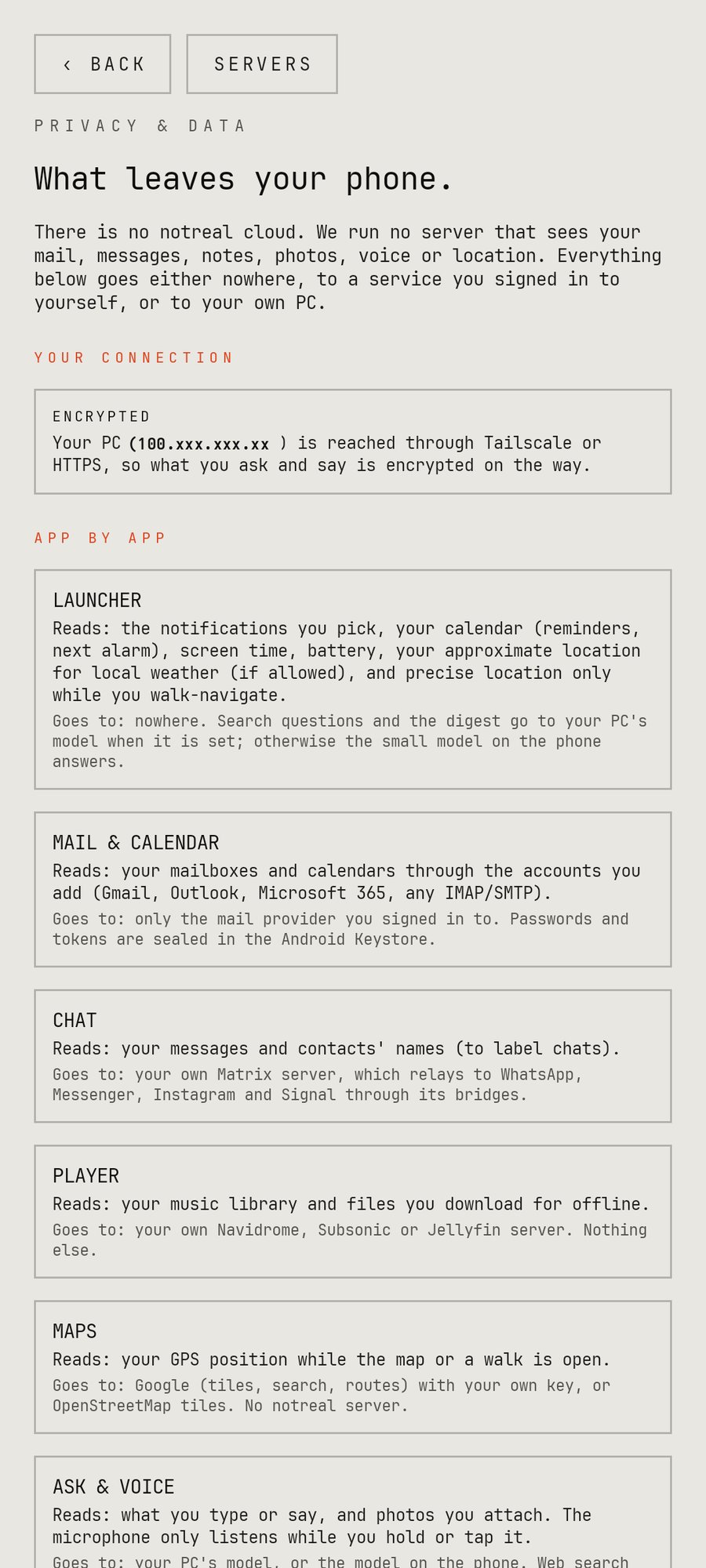
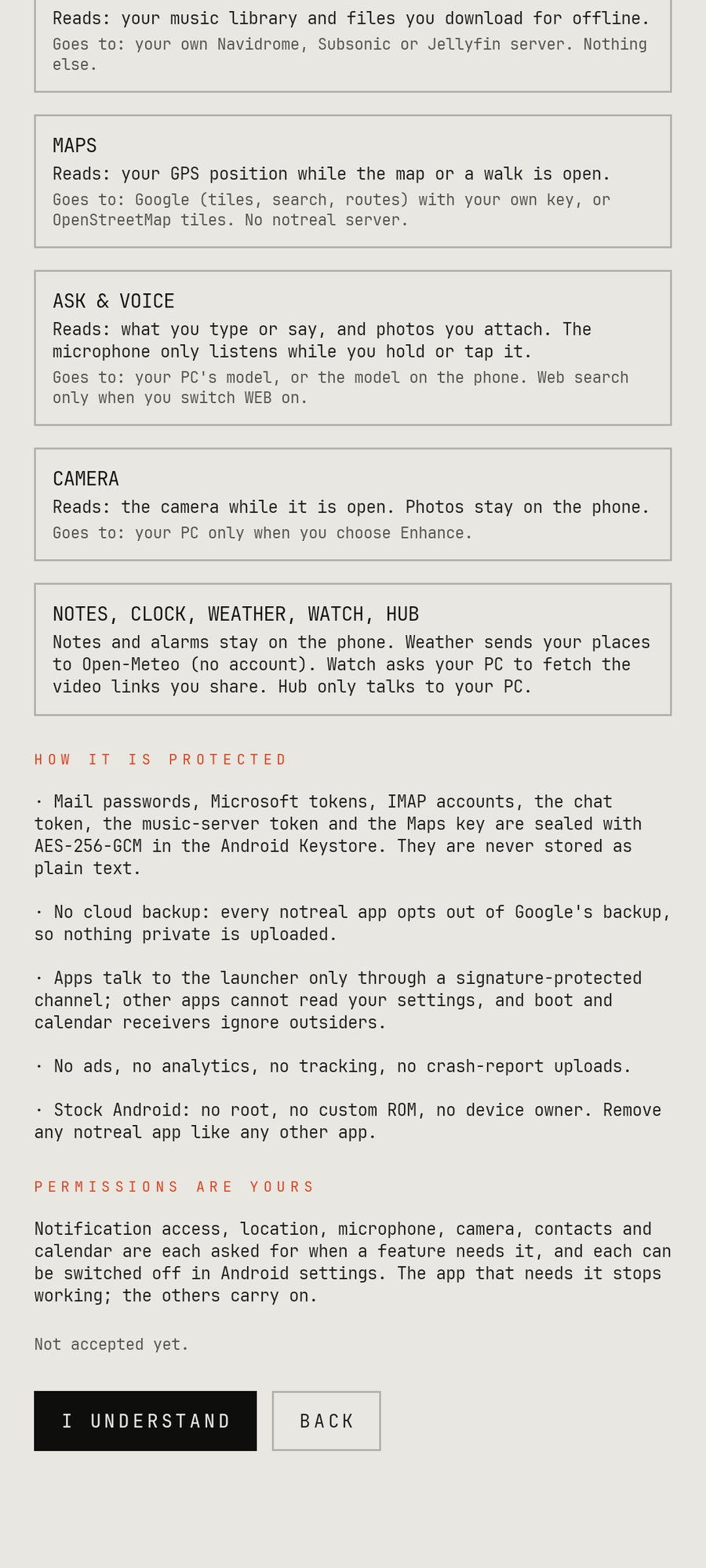
No notreal server holds your data. Everything goes nowhere, to a service you signed in to, or to your own PC.
Privacy & Data
A page in Settings and the last page of onboarding. It says what each app reads and where it goes, checks whether your PC link is encrypted (Tailscale or HTTPS) and warns when it is not. Logins are sealed with AES-256-GCM in the Android Keystore, cloud backup is off for every app, and apps talk to the launcher only through a signature-protected channel. Stock Android: no root, no custom ROM.
MICRO theme